Node.js 22.22.0 security release: what to patch and how to roll it out
I do not trust “just upgrade” guidance for prod Node. I’ve watched a “simple” runtime bump break native modules and wedge CI for half a day.
Node.js v22.22.0 (LTS, “Jod”) landed on 2026-01-13 and focuses on security fixes, plus dependency bumps for c-ares and undici. If you run public-facing Node or you build artifacts in CI, treat this as a fast patch with a canary, not a weekend project.
What changed (the parts that actually matter)
This bit me once with TLS. A single unhandled error event can take down an otherwise healthy service, and you only notice after the pager wakes you up.
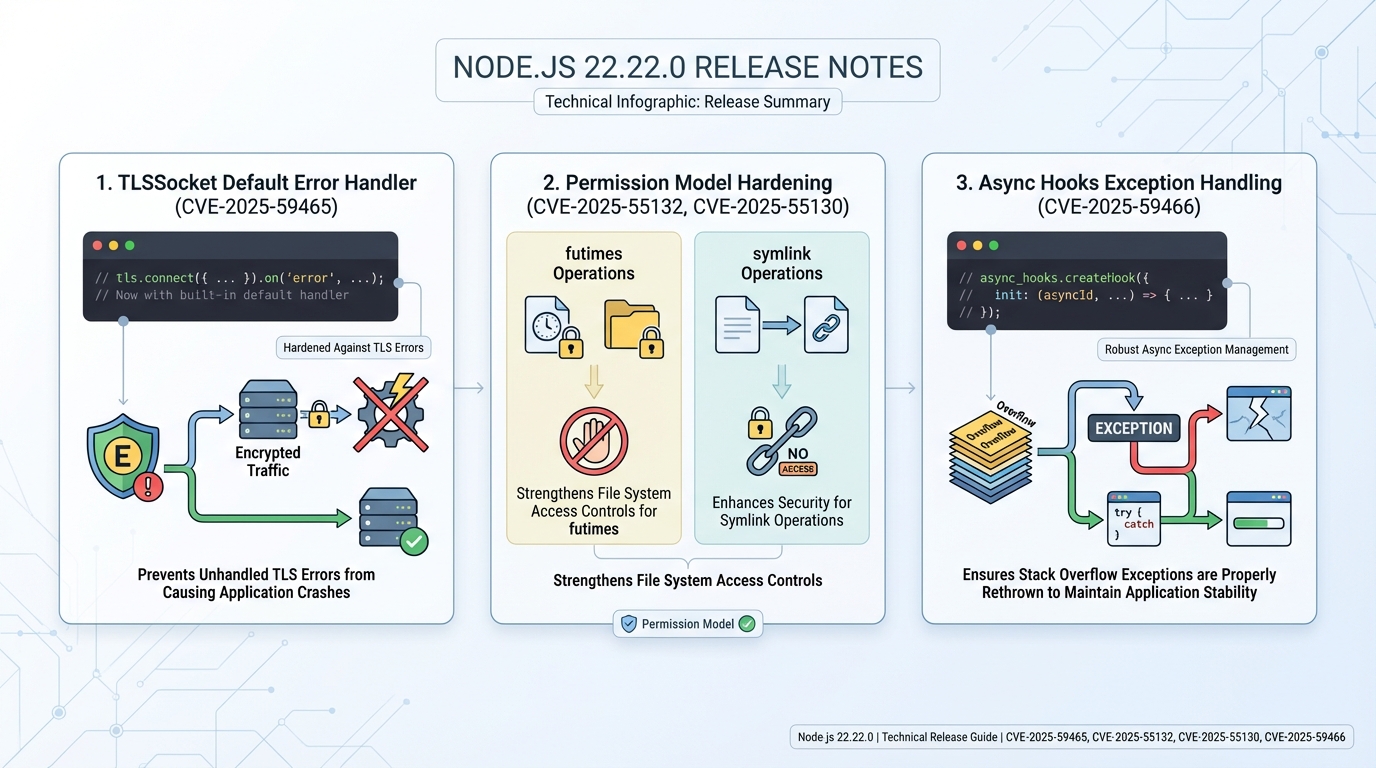
- TLS error handling (CVE-2025-59465): Node now adds a default TLSSocket error handler so a TLS connection error does not slip through as an unhandled exception.
- Permission model hardening (CVE-2025-55132): Node disables futimes() when you enable the permission model, closing a gap where time changes could bypass the intent of the model.
- Symlink permission checks (CVE-2025-55130): Node requires full read and write permissions for symlink APIs when the permission model runs, instead of letting partial permissions slide.
- async_hooks stack overflow behavior (CVE-2025-59466): Node rethrows stack overflow exceptions in async_hooks paths to avoid weird “half alive” states that end in crashes.
- Unsafe buffer creation refactor (CVE-2025-55131): Node removes a zero-fill toggle path during unsafe buffer creation, reducing the risk of memory exposure bugs around uninitialized data.
- TLS callback exception routing (CVE-2026-21637): Node routes exceptions thrown in TLS callbacks through the right error handlers so they do not escape and crash the process.
- Dependency updates: Node updates c-ares to v1.34.6 and undici to 6.23.0.
Upgrade priority: patch what attackers can reach first
Patch fast. Then breathe.
I’ve seen teams burn two days patching internal batch workers while their internet-facing API sat on the old runtime. Do the opposite. In most cases, exposure drives urgency more than “it has CVEs.”
Before upgrading, run a security audit to see what your current exposure looks like:
# Check your current Node version
node --version

# Run npm audit to see known vulnerabilities in your dependency tree
npm audit

# For a summary view
npm audit --audit-level=critical

# Check if your lockfile has any issues
npm audit fix --dry-run- Upgrade within 24 hours: Internet-facing Node services, anything that terminates TLS in-process, and CI runners that execute untrusted PRs.
- Upgrade in your next maintenance window: Internal APIs that still accept user input, even behind VPN, because “internal” leaks all the time.
- Upgrade when convenient: Offline workers with no inbound traffic and tight egress rules, after you prove your test suite passes.
If you cannot canary this, you probably should not run Node at scale. That sounds harsh, but incidents sound harsher.
Pre-upgrade checklist (the stuff nobody mentions)
Native modules love to explode. I have watched “npm ci” pass locally, then fail in Alpine containers because a prebuild did not exist yet.
- Inventory how you ship Node: nvm on servers, Docker base image, apt/yum packages, or a managed runtime. Each path has a different rollback story.
- Flag native dependencies: If you use sharp, bcrypt, sqlite3, canvas, or any node-gyp build, plan time for rebuilds and container toolchains.
- Snapshot or pin a rollback: Keep the previous Node 22.x patch available in your build pipeline so you can revert without hunting artifacts.
How I’d upgrade (nvm, “n”, and containers)
Go boring. Copy-paste wins.
Start with a canary service or a single node pool. Ship it, watch error rate and p95 latency for 30 minutes, then widen the rollout. Some folks skip canaries for patch releases. I don’t, but I get it if you run a dev cluster and you just yolo it on Friday.
# Upgrade with nvm (recommended for dev and staging)
nvm install 22.22.0
nvm alias default 22.22.0
node --version  # confirm: v22.22.0

# Rebuild native modules after the upgrade
npm rebuild

# Run your test suite to catch compatibility issues
npm test

# For production Docker images, update the base image tag
# In your Dockerfile:
# FROM node:22.22.0-slim
# (rebuild and push the image, don't just change the runtime on the host)- Check your current version: Run node –version and write it down.
- Upgrade with nvm: Run nvm install 22.22.0, then point your service user or runtime to that version.
- Upgrade with “n”: Run npm install -g n then n 22.22.0.
- Container reality check: Rebuild the image. A new Node on your laptop does nothing for the Node binary baked into your production container.
If you deploy with Docker, update your base image and rebuild — do not patch the runtime inside a running container:
# Update your Dockerfile base image
FROM node:22.22.0-slim AS base

# Rebuild and verify
docker build -t myapp:22.22.0-patched .
docker run --rm myapp:22.22.0-patched node --version
# Expected: v22.22.0

# Quick smoke test inside the container
docker run --rm myapp:22.22.0-patched npm audit --audit-level=critical
Post-upgrade checks (what I watch in the first hour)
Trust, but verify.
I like checks that fail loudly. Confirm the runtime version, run your unit tests, then hit one real request path that exercises TLS outbound calls if you use undici heavily.
# Full post-upgrade verification sequence
node --version                    # confirm v22.22.0
node -e "console.log(process.versions)"  # check all dependency versions
npm rebuild                       # rebuild native modules
npm test                          # run the test suite

# Quick check that TLS works correctly
node -e "
const https = require('https');
https.get('https://www.google.com', (res) => {
  console.log('TLS OK, status:', res.statusCode);
  res.resume();
}).on('error', (e) => {
  console.error('TLS FAILED:', e.message);
});"- Confirm the runtime: node –version should print v22.22.0.
- Rebuild native modules if you have them: Run npm rebuild in the deploy artifact, or rebuild your Docker image with build tools present.
- Watch for these smells: sudden spikes in process exits, TLS handshake errors, and new “permission denied” logs if you turned on the permission model.
Track your Node.js LTS versions and EOL dates on the Node.js Release History page, and use the Dependency EOL Scanner to check whether any of your npm dependencies have reached end-of-life. For public-facing services, also run the Security Headers Checker to make sure your TLS and HTTP security configuration is solid.
Known issues
The official release notes do not list known issues for v22.22.0. That does not mean your stack will behave.
Other stuff in this release: dependency bumps, some error-path tweaks, the usual.
References
Official notes: https://github.com/nodejs/node/releases/tag/v22.22.0
- Node.js Security Releases Blog — official security advisories and CVE details
- Node.js Security Policy — responsible disclosure and support timelines
- Node.js v22 Changelog — full list of changes for the v22 LTS line
Keep Reading
- Node.js Release History
- Dependency EOL Scanner — check if your npm packages are still supported
- Security Headers Checker — verify your TLS and HTTP security headers
- Node.js v25.5.0 Release Notes: –build-sea and Safer SQLite Defaults
- Node 20 vs 22 vs 24: Which Node.js LTS Should You Run in Production?
- Node.js v25.4.0: require(esm) goes stable, plus a proxy helper
Frequently Asked Questions
Is Node.js 22.22.0 a security release? Yes. Node.js v22.22.0 (LTS “Jod”) landed on January 13, 2026, with six CVE fixes targeting TLS error handling, the permission model, async_hooks, and unsafe buffer creation. It also bumps c-ares to v1.34.6 and undici to 6.23.0.
What are the most critical CVEs in Node.js 22.22.0? The TLS fixes are highest priority for internet-facing services: CVE-2025-59465 adds a default TLSSocket error handler to prevent unhandled exceptions from crashing your process, and CVE-2026-21637 routes TLS callback exceptions through proper error handlers. If you terminate TLS in Node rather than at a reverse proxy, patch within 24 hours.
Should I upgrade to Node.js 22.22.0 in production? Yes, and prioritize by exposure. Internet-facing Node services and anything that terminates TLS should upgrade within 24 hours. Internal services and CI runners should follow within a week. Test native module compatibility first, especially if you use node-gyp builds that are sensitive to runtime version changes.
Does Node.js 22.22.0 break anything? The permission model changes (CVE-2025-55132 and CVE-2025-55130) tighten restrictions on futimes() and symlink operations. If you use the experimental permission model and your code relies on these operations, you may need to adjust your permission flags. Most production apps that do not use the permission model will not notice any behavior changes.
Related Reading
- Node.js 20 End of Life: Migration Playbook — migrating from Node 20? EOL is April 30, 2026
🛠️ Try These Free Tools
Paste a Dockerfile for instant security and best-practice analysis.
Paste your dependency file to check for end-of-life packages.
Plan your upgrade path with breaking change warnings and step-by-step guidance.
Track These Releases