Docker v29.2.0 release notes: NRI, Identity field, and one Windows gotcha
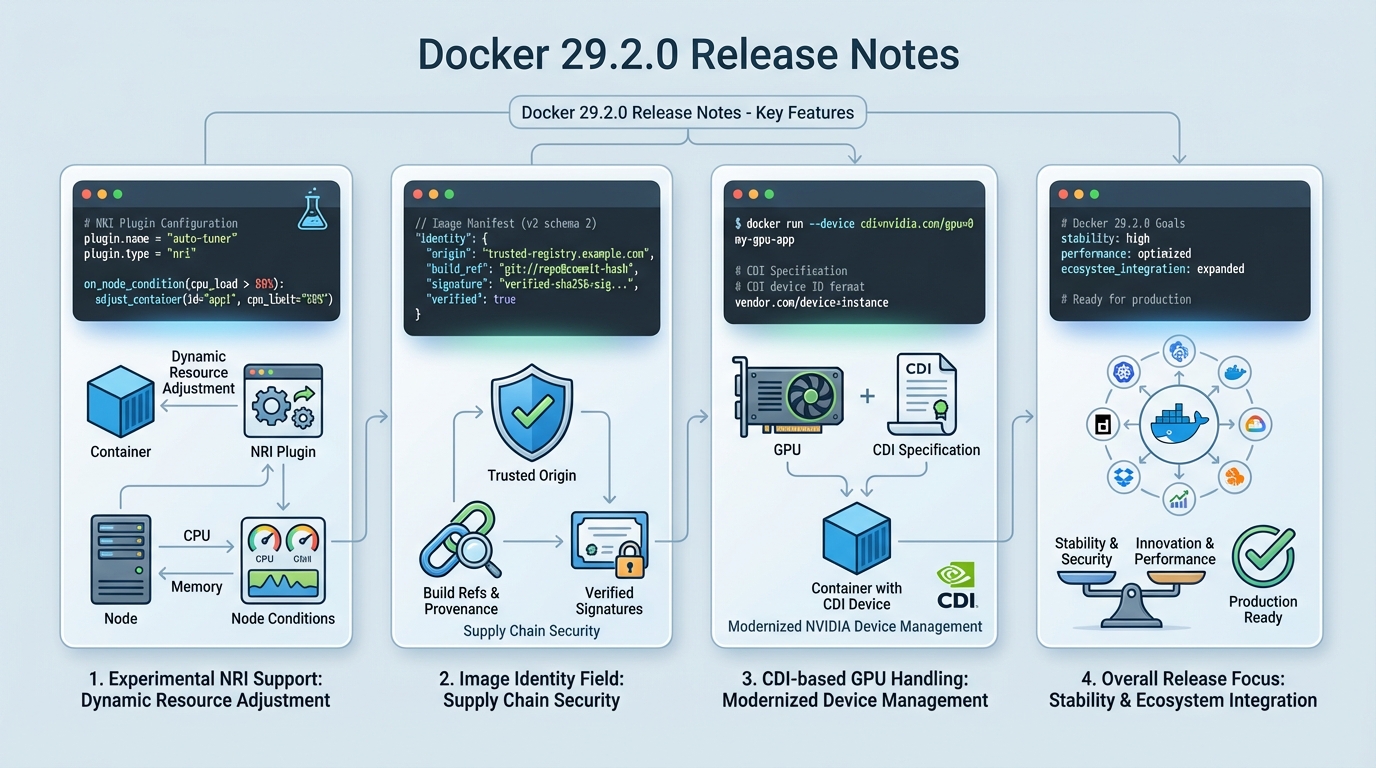
I’ve watched “minor” Docker upgrades break Windows tooling over a single missing folder. Docker v29.2.0 adds experimental NRI, an image Identity field, and CDI-based GPU handling, plus one path change you cannot ignore.
What actually changed in Docker v29.2.0
This release feels like two teams shipped at once. One team focused on supply chain metadata and preflight checks, the other quietly rewired how GPUs show up inside containers.
- Experimental NRI support: Docker can now talk to Node Resource Interface plugins so a third party can adjust container resources on the node. Treat this like a loaded tool, because a bad plugin can trash a host under memory pressure.
- Image Identity field in inspect: Docker adds an Identity field to inspection output to surface trusted origin info, including build references and signature-related data when present. It helps you answer “where did this image come from?” without guessing from tags.
- CDI GPU handling: Docker can route NVIDIA GPU requests through the Container Device Interface when it can. That changes the shape of “GPU works on this node” debugging.
- dockerd –validate does more: The daemon can validate configuration and system requirements before it starts. This reduces the “daemon won’t start, now what?” loop.
- Dependency bumps: BuildKit v0.27.0, containerd v2.2.1 (static binaries only), RootlessKit v2.3.6.
The Windows breaking change: CLI plugins moved
This one bites fast. Docker no longer searches %PROGRAMDATA%\Docker\cli-plugins for CLI plugins on Windows.
Move plugins to %ProgramFiles%\Docker\cli-plugins, or commands like docker buildx fail in a way that looks like “Docker is broken” when the real problem sits in your filesystem. If you run Windows CI runners, script the move. Do not rely on someone remembering it.
If your Windows hosts use CLI plugins, inventory them before you upgrade. I do not trust “we probably don’t use buildx on that box.”
Should you upgrade now, or wait?
🔔 Never Miss a Breaking Change
Get weekly release intelligence — breaking changes, security patches, and upgrade guides before they break your build.
✅ You're in! Check your inbox for confirmation.
Depends on what you run. If you live on NVIDIA GPUs or you care about provenance metadata, you should at least stage this.
Some folks skip canaries for patch releases. I don’t, but I get it when you run one Docker host under someone’s desk. For production, take one node, upgrade it, and run one workload that screams when GPUs or plugins disappear.
- Upgrade sooner: You want the Identity field so security can stop scraping registry URLs out of logs, or you want the new preflight validation to cut down on “daemon refuses to start” incidents.
- Upgrade carefully: You plan to try NRI. Keep it off in production until you can explain how you will monitor the plugin, cap its privileges, and roll it back.
- Upgrade last: Your Windows fleet depends on bespoke CLI plugins and you cannot touch runners this week. Fix the plugin path first.
My staging checklist (the stuff I actually run)
Start with the failure mode. I want to catch “dockerd won’t start” and “CLI plugins vanished” before I touch a real host.
Run these in staging, then copy the exact steps into your change ticket. Yes, even for a point release.
- Preflight the daemon: Run dockerd –validate and save the output in your ticket. If validation fails, stop and fix that first instead of hoping a reboot will “clear it.”
- Check plugin paths on Windows: Confirm plugins exist under %ProgramFiles%\Docker\cli-plugins. If you find them under %PROGRAMDATA%\Docker\cli-plugins, move them and re-run your standard CLI commands.
- Confirm the Identity field exists: Run docker inspect –format='{{.Identity}}’ <image> and look for a structured value instead of an empty blob. If it prints nothing, you might be looking at an image or build path that does not populate it, or your template path differs. Verify before you promise your security team anything.
- GPU smoke test (if you run NVIDIA): Run one container that exercises CUDA and confirm you see GPUs inside the container. If you already use CDI specs, verify Docker still resolves them. If you do not, expect a little friction.
Experimental NRI: the feature nobody should “just turn on”
NRI looks neat on paper. In practice, you just invited a third-party process into your resource story.
I’ve seen resource controllers behave fine until the node hits real contention. Then the plugin starts “helping,” containers thrash, and your on-call ends up staring at graphs that look like a seismograph. If you still want it, start with one non-critical host, keep the plugin surface area small, and watch CPU and memory for the plugin itself, not just the containers it touches.
NRI stays experimental for a reason. If you cannot test your resource controller in staging, you should not run it in production.
Quick wrap-up
Docker v29.2.0 ships useful primitives: Identity metadata, better preflight validation, and modern GPU wiring. The Windows CLI plugin path change can break your day, and NRI can break your week if you roll it out casually.
Other stuff in this release: dependency bumps, some wiring changes, the usual. There’s probably a cleaner way to test all of this, but I keep coming back to one canary host and one ugly, GPU-heavy workload anyway.
Frequently Asked Questions
What is NRI support in Docker 29.2.0? Node Resource Interface (NRI) is a Kubernetes-ecosystem mechanism that lets third-party plugins adjust container resources at the node level. Docker v29.2.0 adds experimental NRI support, meaning plugins can now modify container resource allocations (CPU, memory, devices) through a standard interface. Treat it cautiously in production — a badly behaved plugin can starve containers of resources.
Does Docker 29.2.0 break anything on Windows? Yes. Docker no longer searches %PROGRAMDATA%\Docker\cli-plugins for CLI plugins. You must move plugins to %ProgramFiles%\Docker\cli-plugins or commands like docker buildx will fail. If you run Windows CI runners or build servers, script the plugin directory migration before upgrading.
What is the image Identity field in Docker 29.2.0? A new field in docker inspect output that surfaces trusted origin information for images, including build references and signature data when available. It helps you answer “where did this image actually come from?” without relying solely on tags, which supports supply chain security workflows.
Should I upgrade to Docker 29.2.0? Stage it first. If you use NVIDIA GPUs, the new CDI-based GPU handling changes how GPU access works inside containers. If you care about image provenance metadata, the Identity field is genuinely useful. Windows users must migrate CLI plugins before upgrading. Linux-only environments without GPUs can treat this as a standard upgrade with a quick canary test.