Firefox 148.0a1 release notes: Split View, Tab Notes, Sanitizer API
I do not trust “Known issues: none” from any project, especially not Nightly. Firefox 148.0a1 ships Split View plus a batch of platform features that dev teams will actually have to test.
My take: Split View grabs attention, the security APIs matter more
I’ve watched teams ignore Nightly for months, then scramble when an API lands and suddenly their sanitization library looks shaky. This release smells like that kind of drop, because Mozilla pushed the Sanitizer API and Trusted Types support forward at the same time.
Split View looks nicer in screenshots. The Sanitizer API changes how you safely touch user HTML, and that affects production code, test suites, and security reviews.
What changed in 148.0a1 (the stuff you’ll notice)
Here’s what I’d check first after installing Nightly. Start with the features you can trigger in two clicks, then move to the APIs that need a test page.
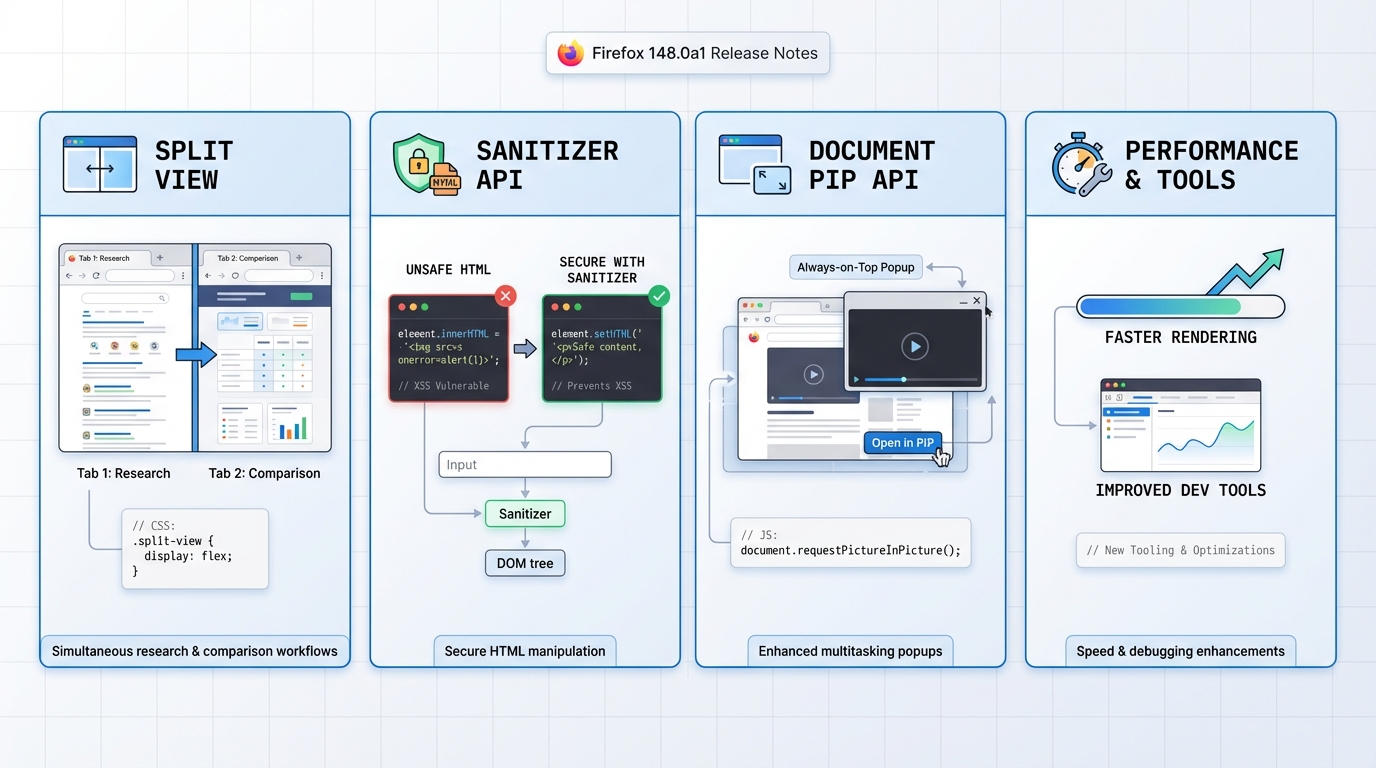
- Split View: Opens two tabs side-by-side inside one Firefox window from the tab context menu.
- Tab Notes: Adds a right-click note field on a tab so you can label the reason you opened it.
- Android toolbar refresh: Updates the toolbar design and expands customization (Android Nightly users will spot it fast).
- Android “Copy link text”: Adds a context menu item that copies the visible anchor text, not the URL.
- Sanitizer API: Adds experimental safer HTML APIs such as element.setHTML() and document.parseHTML() as alternatives to innerHTML. Check MDN for exact guarantees and compatibility.
- Document Picture-in-Picture API: Lets a page open an always-on-top PiP window that can contain more than video.
- CSS shape() function: Adds a new CSS function for defining shapes (often used with clipping and motion paths). Double-check syntax before you ship anything.
- Iterator.zip and Iterator.zipKeyed: Adds iterator helpers for combining sequences.
- WebGPU in service workers: Enables WebGPU usage from service worker contexts for certain background workloads, depending on platform support.
- PDF accessibility: Improves screen reader handling for math formulas in PDFs.
- Windows drag-and-drop fix: Fixes a case where dragging a downloaded image into Adobe Illustrator dropped the URL instead of the file.
Who should install Nightly for this
Install it if you need one of these, right now. Skip it if you just want a calmer browser week.
- You live in tab chaos: Split View and Tab Notes help when you keep 40 tabs open and cannot remember why.
- You ship user-generated HTML: The Sanitizer API and Trusted Types support matter if you do comments, rich-text editors, templates, email previews, anything like that.
- You build web platform features: WebGPU in service workers and Document Picture-in-Picture change what you can prototype in a single browser.
- You manage accessibility: PDF math improvements belong on your regression checklist if you support assistive tech users.
Nightly upgrade advice (risk varies, so should your process)
Take a separate profile. Nightly will bite you if you point it at your daily profile and then an extension freaks out.
For a dev laptop, I’d install it and move on. For a work machine with a locked-down stack, take a backup of the profile folder and keep your previous installer around so you can roll back.
Some folks skip testing for “just a Nightly.” I don’t. If you cannot test your browser-dependent code in staging, you probably should not ship browser-dependent features.
Quick ways to test the headline features
Start with Split View because it’s obvious when it works. Then test Sanitizer with one ugly payload.
- Split View smoke test: Right-click a tab, choose the Split View option, then load a dashboard on one side and documentation on the other. Watch CPU and memory if you keep both sides playing video.
- Tab Notes reality check: Add a note like “compare pricing tables,” restart the browser, and confirm the note still exists where you expect it. If it disappears, you just found the kind of Nightly paper cut that wrecks trust.
- Sanitizer API sanity check (devs): Confirm Nightly exposes the API, then feed it a string containing <script> and an inline handler like onclick. Verify the output removes what you expect. Do not assume it makes unsafe HTML “safe enough” without reading MDN and running your own tests.
- Document Picture-in-Picture: Try it with a chat app or a small status panel. See if focus and keyboard shortcuts behave, because PiP windows love breaking accessibility in the boring ways.
Known issues
The official Nightly notes do not list a consolidated “Known issues” section for 148.0a1. That does not mean the build is clean. Anyway.
Official notes
If you need the source list, use Mozilla’s Nightly release notes for 148.0a1 and follow the Bugzilla links from each item for the gritty details.
Testing the Sanitizer API (actual code you can run)
The Sanitizer API is the headline for security-conscious teams. Here’s how to test it in Firefox Nightly right now.
// Open Firefox Nightly DevTools console (F12) and try this:

// Basic sanitization — strips scripts and event handlers
const dirty = '<div onclick="alert(1)">Hello <script>evil()</script><b>world</b></div>';

// Using the new setHTML() method (replaces innerHTML safely)
const target = document.createElement('div');
target.setHTML(dirty);
console.log(target.innerHTML);
// Expected: <div>Hello <b>world</b></div>
// The script tag and onclick handler should be gone
// Testing with a custom Sanitizer config
const sanitizer = new Sanitizer({
allowElements: ['b', 'i', 'em', 'strong', 'a'],
allowAttributes: { 'href': ['a'] }
});
const messy = '<a href="https://example.com" onclick="steal()">Click <img src=x onerror=alert(1)></a>';
const el = document.createElement('div');
el.setHTML(messy, { sanitizer });
console.log(el.innerHTML);
// Expected: <a href="https://example.com">Click </a>
// img tag stripped, onclick stripped, href preservedCheck the MDN Sanitizer API docs for the full spec. Also see the WICG Sanitizer API spec for edge cases.
CSS anchor positioning: quick test page
Document Picture-in-Picture and CSS anchor positioning are the developer features worth testing. Here’s a minimal test:
<!-- Save as anchor-test.html and open in Firefox Nightly -->
<style>
  .anchor {
    anchor-name: --my-anchor;
    background: #2563eb;
    color: white;
    padding: 12px 24px;
    margin: 100px;
    display: inline-block;
  }
  .tooltip {
    position: fixed;
    position-anchor: --my-anchor;
    top: anchor(bottom);
    left: anchor(center);
    translate: -50% 8px;
    background: #1e293b;
    color: white;
    padding: 8px 16px;
    border-radius: 6px;
  }
</style>
<div class="anchor">Hover target</div>
<div class="tooltip">I'm anchored below!</div>
/* Check if anchor positioning is supported in JS */
if (CSS.supports('anchor-name', '--test')) {
console.log('✓ CSS Anchor Positioning supported');
} else {
console.log('✗ Not supported — check about:config');
}
/* about:config flags to check if features are disabled: */
// layout.css.anchor-positioning.enabled = true
// dom.security.sanitizer.enabled = trueFor tracking Firefox release health and upcoming features across all channels, use the Firefox releases hub or check support status with the interactive release timeline.
Related Reading
- Firefox 148 AI kill switch guide
- Firefox 145 about:config fixes
- Version health badges for all your tools
🛠️ Try These Free Tools
Plan your upgrade path with breaking change warnings and step-by-step guidance.
Compare EKS, GKE, and AKS monthly costs side by side.
Paste a PEM certificate to check expiry and get a security grade.
Track These Releases