Firefox 149.0a1 Nightly release notes: test first
Test first. Nightly builds break in new and creative ways.
should you care? Upgrade verdict
Do not roll this to a production desktop fleet. I mean it. This is Firefox Nightly 149.0a1, so you treat it like a canary build, not a “quick update.”
In my experience, the regressions you feel at 2 a.m. show up in three places first. GPU video paths. Permission prompts. Weird profile defaults. Your mileage may vary depending on your Windows driver mix and how locked down your enterprise policies are.
should you care? Evidence, what actually changed
Here’s the short list that might move your risk profile. Some of this is UX candy. Some of it changes security and network behavior.
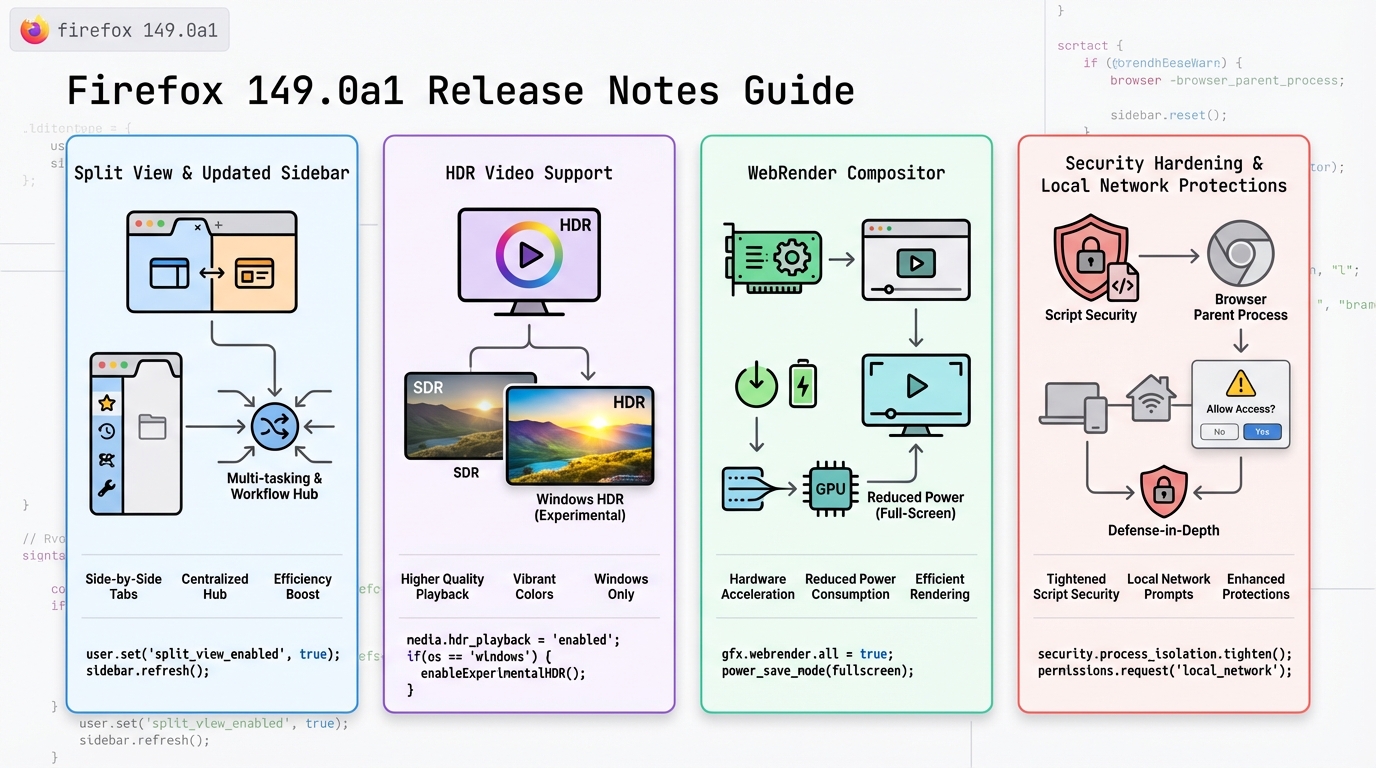
- Split View: Nightly adds a side-by-side tab view from the tab context menu. Good for power users, also a new layout path to test with extensions and accessibility tools.
- Sidebar default for new profiles: New profiles start with the redesigned sidebar enabled. Expect “where did my bookmarks go” tickets if you push this broadly.
- HDR video on Windows (experimental): Windows clients can try HDR playback in Nightly. This is the kind of change that spikes GPU process crashes when it goes sideways.
- Linux Nightly RPM package: Nightly ships a .rpm option for RPM-based distros. Great for automation, also a new packaging surface for signing, repo config, and rollback.
- AI Controls in Settings: A new settings area to control AI-related browser features. If you run managed profiles, you will want to validate policy interactions.
- Local network access restrictions: Firefox continues expanding protections that require permission for sites to reach local network devices. This can change behavior for internal tools.
- Document Picture-in-Picture API: Sites can open an always-on-top window with arbitrary document content, not just video.
- Reporting API: Web apps can send browser reports (like CSP violations and deprecations) to an endpoint you control.
- <input type=color> changes: The color picker behavior moves toward consistent in-page UI, plus alpha/transparency support in newer builds.
One strong opinion. Ignore the “feature count.” Watch the blast radius. HDR, local network prompts, and new packaging formats cause real outages in enterprise environments.
should you care? What I’d watch in monitoring after a canary
This matters. You do not “click around” and call it testing.
Run a small canary group. Then watch these like you mean it. Check your error rates after deploying, even if this is “just a browser.” A browser is an app runtime for half your company.
- Crash rate by channel and OS: Track crashes per 10,000 sessions for Nightly users. Alert if it jumps above 2x your baseline for that cohort.
- GPU process failures: Watch GPU process crashes and video decode errors on Windows. HDR experiments love to trip driver edge cases.
- Video start failures: Track “video play clicked” to “first frame rendered.” Alert if failure rate crosses 2% for 10 minutes in your canary.
- Permission prompt spikes: Local network protections can trigger new prompts. If prompts spike, your internal apps probably hit local endpoints and will generate tickets fast.
- Policy drift for managed profiles: If you enforce enterprise policies, validate that new settings areas do not bypass policy. Log policy application errors if your management stack exposes them.
If you cannot observe client crashes and video failures, do not run Nightly outside a lab. You will debug it blind.
should you care? Caveats and failure modes
I’ve watched teams treat “Nightly” as “early stable.” It ends badly. Split View and sidebar defaults change user workflows, so your helpdesk load goes up even if nothing “breaks.”
HDR on Windows stays experimental for a reason. Driver versions differ, laptop panels differ, and hardware decode paths differ. If you run a VDI setup or hardware acceleration policies, test those exact combos. Your mileage may vary depending on GPUs and how aggressive your endpoint hardening is.
Local network access restrictions can also look like “the intranet is down.” Users will blame DNS. You will get paged. Pre-brief your support folks and keep a rollback plan.
should you care? How I’d roll it out (safely)
Start tiny. Hold. Measure. Then decide.
- Step 1, isolate: Put Nightly in a separate pilot group. Do not mix it with privileged admin workflows if you can avoid it.
- Step 2, canary: Ramp from 0.1% to 1% to 5% with a hold at each step. Only advance if crash rate and GPU errors stay flat.
- Step 3, rollback trigger: Define it ahead of time. For example: crash rate doubles, video start failures exceed 2%, or permission prompts spike and ticket volume jumps.
Other stuff in this release: more web platform tweaks, packaging changes, the usual. There’s probably a cleaner way to test it than “throw it at a pilot group,” but that’s what works when you have production traffic and limited time.
should you care? If you’re a developer, the useful bits
If you own web apps, you can use Document Picture-in-Picture and the Reporting API to get better visibility. Pipe Reporting API reports into the same place you send CSP reports today. Then alert on spikes. That gives you early signal when Nightly changes start breaking your front end.
Anyway.
should you care? Official notes
Read the upstream notes before you quote anything internally. Treat third-party summaries as hints, not truth.
View full Firefox 149.0a1 release notes on Mozilla.
🛠️ Try These Free Tools
Plan your upgrade path with breaking change warnings and step-by-step guidance.
Paste your workflow YAML to audit action versions and pinning.
Compare EKS, GKE, and AKS monthly costs side by side.
Track These Releases