undici v7.18.2: the decompress fix you should ship this week
I’ve watched a single “harmless” gzip response pin CPUs and creep memory until a Node pod face-plants.
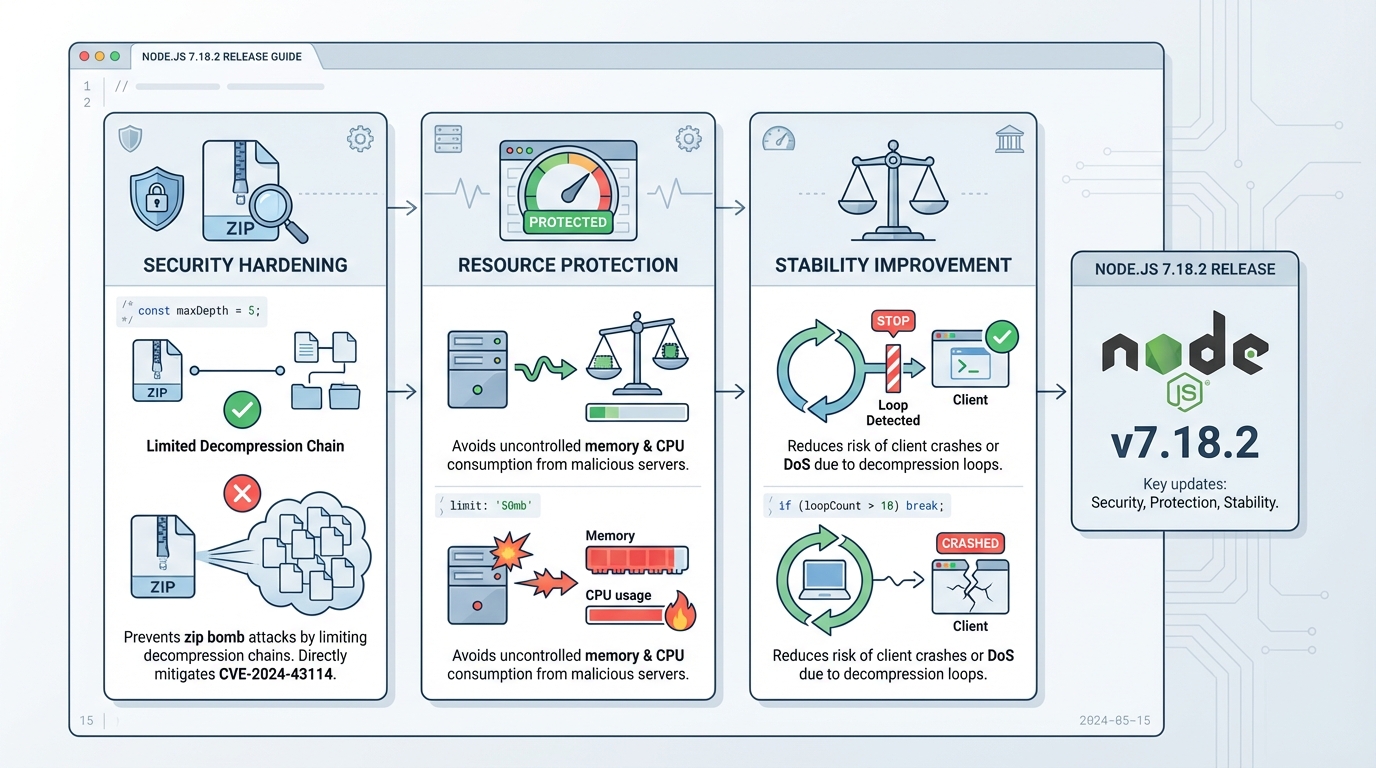
undici v7.18.2 adds a guardrail in its decompression path by limiting the HTTP Content-Encoding chain to 5 entries, which reduces the blast radius from hostile or broken servers.
What actually changed in v7.18.2
This change targets one ugly failure mode: a server sends a response with a ridiculously long Content-Encoding header, and your client keeps stacking decompressors.
v7.18.2 stops that by rejecting responses when the encoding chain exceeds 5, instead of trying to “be helpful” and decode forever.
- Content-Encoding chain cap (5): undici refuses responses that specify more than 5 encodings (for example: gzip,gzip,gzip,gzip,gzip,gzip).
- Decompress path hardening: the decompress logic bails out early, which reduces CPU burn and memory churn from pathological responses.
Who should care, and who can probably wait a day
Upgrade fast if your service pulls data from APIs you do not control, scrapes pages, processes webhooks, or talks to partner systems with “creative” infrastructure.
If everything you call sits behind your own gateway and you already strip compression weirdness at the edge, you still should patch, but you can probably canary it instead of panic-shipping it.
I do not trust “known issues: none” on any security-adjacent release. I trust my graphs.
How I’d roll this out without breaking prod
Start by figuring out where undici hides in your fleet, because it shows up as a transitive dependency more often than teams expect.
Then patch, run a quick smoke test that hits a compressed endpoint, and canary before you light up every region.
- Find it: run npm ls undici in each repo, and also check your built artifacts (container images) if your CI caches node_modules.
- Upgrade it: pin undici to 7.18.2 (or newer), run npm install undici@7.18.2, commit the lockfile, rebuild, redeploy.
- Verify it: after deploy, watch for sudden spikes in request failures that mention decoding/decompression, plus the usual CPU and memory charts.
If you can’t upgrade today
So. Here’s the thing.
Sometimes you cannot touch dependencies on a Tuesday because a release train, a freeze, or a transitive pin blocks you. In most cases, you can still reduce risk by stripping or constraining Content-Encoding at your edge proxy for outbound calls, or by refusing compressed responses from untrusted sources.
- Edge filtering: block suspicious Content-Encoding values (especially long comma-separated chains) before the response hits your Node process.
- Resource guardrails: set tighter timeouts and memory limits on the workers that perform HTTP fetch and decompression.
Notes, links, and the one thing that needs checking
Read the upstream undici v7.18.2 release notes on GitHub and link the PR in your internal ticket so the next person can audit the change.
The original post mentioned a CVE number, but I can’t confirm that mapping from the upstream release notes, so I’d remove it unless your security team has a separate advisory. There’s probably a clean way to auto-test this in CI with a crafted response, but…
Understanding the undici decompression internals
To understand why this fix matters, it helps to look at how undici handles HTTP responses under the hood. The undici GitHub repository shows that the decompression logic lives in the response pipeline, where each Content-Encoding value creates a new transform stream. Before v7.18.2, there was no upper bound on this chain.
The attack vector is straightforward: a malicious server sends a response header like Content-Encoding: gzip,gzip,gzip,gzip,gzip,gzip,gzip,gzip,gzip,gzip. Each entry spawns a zlib stream, allocating buffers and CPU cycles. With 10+ entries, you get memory pressure and CPU pinning that can take down a Node.js process.
// How undici's fetch API handles decompression (simplified)
import { fetch } from 'undici';

// Before v7.18.2: no limit on encoding chain
// After v7.18.2: rejects responses with >5 encodings
const response = await fetch('https://api.example.com/data', {
  headers: { 'Accept-Encoding': 'gzip, br' }
});

// Check response headers for suspicious encoding chains
const encoding = response.headers.get('content-encoding');
if (encoding) {
  const layers = encoding.split(',').length;
  console.log(`Encoding chain depth: ${layers}`);
  // v7.18.2+ will reject if layers > 5
}
Hardening your Node.js HTTP client configuration
Beyond upgrading undici, you should configure sensible defaults for any HTTP client in production. The Node.js built-in fetch documentation covers the global fetch API that relies on undici internally. Here is a production-ready configuration that adds timeouts, retries, and connection limits:
import { Agent, setGlobalDispatcher } from 'undici';

// Create a production-grade HTTP agent
const agent = new Agent({
  connections: 50,          // max connections per origin
  pipelining: 1,            // disable HTTP pipelining (safer)
  connectTimeout: 10_000,   // 10s connection timeout
  headersTimeout: 30_000,   // 30s to receive headers
  bodyTimeout: 60_000,      // 60s to receive body
  keepAliveTimeout: 30_000, // 30s keep-alive
  keepAliveMaxTimeout: 600_000, // 10min max keep-alive
});

// Set as the global dispatcher for fetch()
setGlobalDispatcher(agent);

// Now all fetch() calls use these defaults
const res = await fetch('https://api.example.com/health');
console.log(res.status);
These timeouts prevent a slow or malicious upstream from holding connections indefinitely. Combined with the v7.18.2 decompression cap, your Node.js services are significantly more resilient against hostile HTTP responses.
For a complete overview of undici releases and changelogs, see the undici releases page on GitHub. Each release includes detailed notes on security fixes, performance improvements, and breaking changes.
Related Reading
Check your current undici version and upgrade
First, find out if you are affected. undici ships as a transitive dependency of many Node.js packages (including Node.js itself since v18), so you might be running it without knowing.
# Check all undici versions in your project
npm ls undici
# Example output:
# └─┬ my-api@1.0.0
#   ├── undici@7.17.0  <-- needs upgrade
#   └─┬ node-fetch@3.3.2
#     └── undici@7.16.1  <-- also needs upgrade

# Upgrade to the fixed version
npm install undici@7.18.2

# Verify the upgrade
npm ls undici | grep "7.18"
# Should show 7.18.2 for all instances
If undici appears as a transitive dependency that you cannot pin directly, check whether the parent package has released an update. For packages bundled with Node.js core, updating your Node.js version may be the path forward.
Test the fix with a crafted response
You can verify the new behavior works by creating a mock server that sends a pathological Content-Encoding header. Here is a quick test:
// test-undici-decompress.mjs
import { request } from 'undici';
import http from 'node:http';

// Create a server with a ridiculous encoding chain
const server = http.createServer((req, res) => {
  // 6 encodings (exceeds the new limit of 5)
  res.setHeader('Content-Encoding', 'gzip,gzip,gzip,gzip,gzip,gzip');
  res.end('test');
});

server.listen(0, async () => {
  const port = server.address().port;
  try {
    await request(`http://localhost:${port}/`);
    console.log('❌ Request succeeded (should have been rejected)');
  } catch (err) {
    console.log('✅ Request rejected:', err.message);
  }
  server.close();
});
# Run the test
node test-undici-decompress.mjs
# Expected: ✅ Request rejected: (error about encoding chain)If the request is rejected, the patch is working. If it succeeds, you are still on an older version of undici.
Edge proxy mitigation (Nginx example)
If you cannot upgrade immediately, you can strip suspicious Content-Encoding headers at your reverse proxy. Here is an Nginx configuration that limits encoding values:
# In your Nginx proxy configuration
location /api/ {
    proxy_pass http://upstream;

    # Hide the upstream Content-Encoding and let Nginx handle decompression
    proxy_set_header Accept-Encoding "gzip";

    # Set a response timeout to prevent slow decompression attacks
    proxy_read_timeout 30s;
    proxy_send_timeout 30s;
}
This is a band-aid, not a fix. Upgrade undici as soon as your release process allows.
Track Node.js dependency health
undici is one of many dependencies that need regular monitoring. You can check whether your project dependencies have known vulnerabilities or EOL dates using our free dependency EOL scanner. Just paste your package.json to get a report.
For the latest Node.js releases and version tracking, see our Node.js release tracker. If you are evaluating which Node.js version to standardize on, our Node.js 20 vs 22 vs 24 comparison breaks down the tradeoffs.
🛠️ Try These Free Tools
Paste a Dockerfile for instant security and best-practice analysis.
Paste your dependency file to check for end-of-life packages.
Plan your upgrade path with breaking change warnings and step-by-step guidance.
Track These Releases