Node.js 24.13.1 release notes: upgrade verdict for SREs
Test first.
If you run Node.js 24.x in prod, you probably want 24.13.1 soon, but do it with a canary and a rollback button.


Should you care? Upgrade verdict
Yes, in most production setups.
In my experience, “maintenance release” still breaks things at 2 a.m. Upgrade if you want the newly stable debugging and snapshot flags, plus dependency updates. Do not treat this as your security hotfix. The TLS CVEs people mention with this line got patched in the Jan 13, 2026 security release (v24.13.0), not first in v24.13.1. Your mileage may vary depending on which exact 24.x patch you already run.
- Upgrade soon (this week): internet-facing APIs, gateways, anything that terminates TLS, anything where you want stable heap snapshot tooling for leak hunts. Run a canary.
- Upgrade in your next window: internal workers with no inbound TLS and no need for the new flags. Still canary if you run native addons.
- Wait a bit: if you cannot run a staging canary that looks like prod, you should not rush this. Put it on the calendar and fix your staging gap first.
Should you care? Evidence: what actually changed in 24.13.1
Mostly stability and plumbing.
v24.13.1 makes a few previously experimental knobs “stable,” and it bumps some important dependencies. These changes look boring until you debug a leak or your build pipeline trips over a Python mismatch.
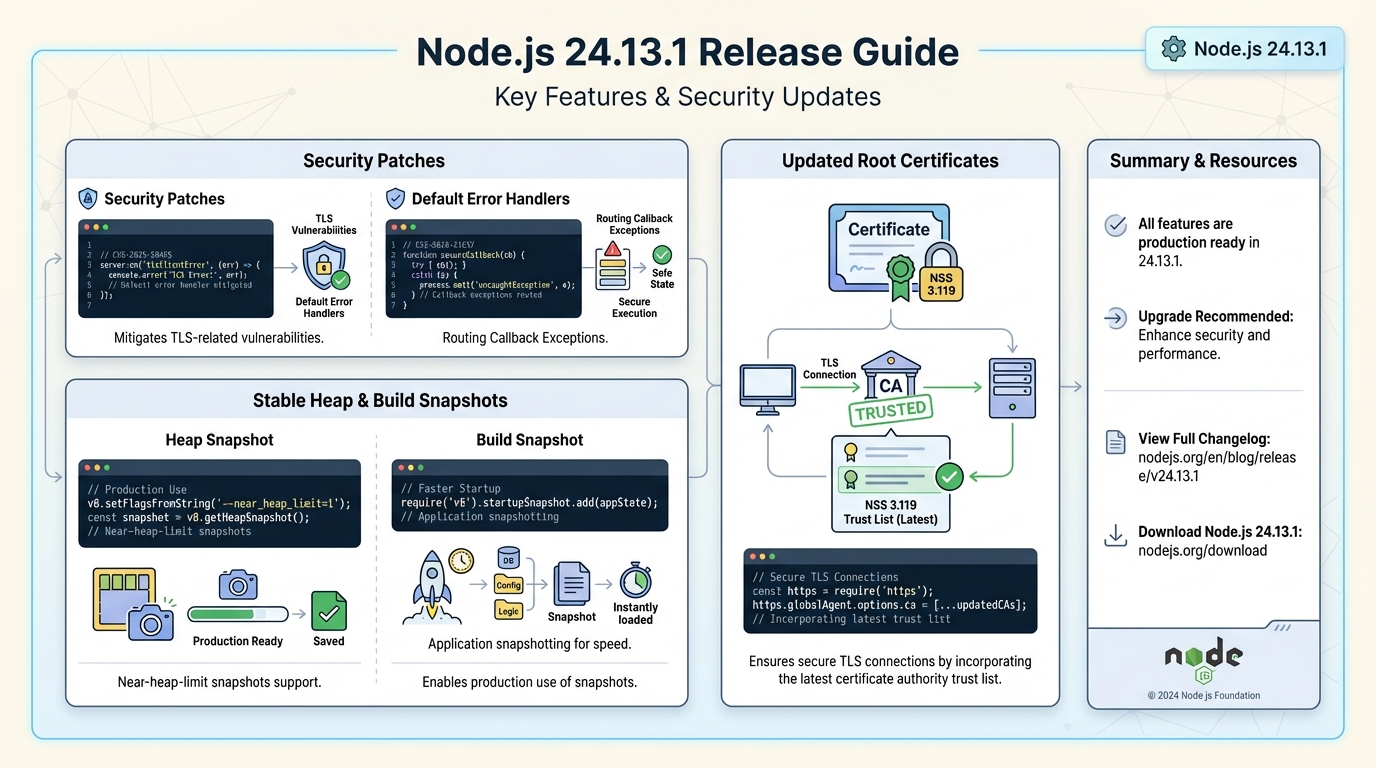
- Stable CLI flag for memory incidents: –heapsnapshot-near-heap-limit now counts as stable. This matters when you want an automatic snapshot right before the process OOMs.
- Stable V8 heap introspection: v8.queryObjects() now counts as stable. Use it to count objects by constructor during a leak hunt. Keep it out of request paths.
- Stable snapshot build flags: –build-snapshot and –build-snapshot-config now count as stable. You might shave startup time, but test your boot path and observability hooks.
- Build toolchain update: build supports Python 3.14. If you compile Node or rebuild native modules in CI, this can change what “works on my laptop” means.
- TLS trust store update: root certificates updated to NSS 3.119. This can fix some handshakes and break others, depending on your upstreams and weird intermediates.
- URL parsing update: ada updated to v3.4.2 with Unicode 17 support. This mostly matters if you accept user-supplied URLs and do strict validation.
Should you care? Evidence: the TLS CVEs people will ask you about
Yes, but check your patch level.
CVE-2025-59465 and CVE-2026-21637 relate to TLS error handling in Node.js. In my experience, TLS error-path bugs show up as “random” connection resets and sudden worker exits, then your on-call phone starts screaming. Node.js shipped those fixes in the Jan 13, 2026 security release (v24.13.0) for the 24.x line. If you already run 24.13.0 or newer, you already have the security fixes. If you run anything older than that, treat upgrading as urgent.
Do not guess. Check node –version on the actual pods, not your Dockerfile.
Should you care? Caveats before you roll this into prod
This is where upgrades bite.
I have watched teams do a “simple patch bump,” then spend half a day chasing crashloops because a native addon stopped loading. Your mileage may vary depending on native modules, base images, and how pinned your build chain is.
- Native addons: if you use bcrypt, sharp, grpc, or any node-gyp based addon, rebuild and run a real integration test. Watch for “Module did not self-register” style failures.
- Root cert updates: NSS bumps can change what chains validate. If you call third-party APIs, preflight them from staging using the same image you will deploy.
- Heap snapshot flags: heap snapshots get large fast. If your container filesystem has 10 GB free and your snapshot hits 6 GB, you just created a different incident.
Should you care? Canary rollout plan (the boring part that saves you)
Canary it.
Run 24.13.1 on 1 to 5 percent of traffic first. Hold it long enough to hit cold paths. At least a few hours. Then ramp. Check your error rates after deploying. If you do not have those dashboards, stop and make them.
- Phase 1 (1-5%): watch 5xx rate, TLS handshake failures (if you track them), process restarts, and p95 latency. Roll back on any sustained error-rate bump.
- Phase 2 (25%): watch long-lived connections and streaming endpoints. TLS edge cases hide here.
- Phase 3 (100%): keep the old image tag ready for at least 72 hours. Somebody always finds the weird client on day two.
Should you care? What to monitor right after deploy
Watch the basics.
Then watch the stuff that fails quietly: TLS errors, cert validation errors, and crashloops. I do not trust “known issues: none” from any project. I trust graphs.
- Error budget signals: HTTP 5xx rate, gRPC status codes, request timeouts. Compare canary vs baseline.
- Process health: restarts per pod, exit codes, OOMKilled events, and heap usage trend. If heap climbs linearly for 30 minutes, you have a leak, not a fluke.
- TLS signals: handshake failures, upstream connection errors, and “unable to verify the first certificate” log spikes after the NSS update.
Should you care? How to upgrade (without making it weird)
Keep it reversible.
Pin the runtime version in one place, rebuild images, and ship. In my experience, the fastest rollback is “deploy the previous image tag,” not “re-run apt in a live container.”
- nvm: run nvm install 24.13.1, then nvm use 24.13.1. Verify with node –version.
- apt/yum: upgrade your nodejs package, then restart your service with a controlled rollout. Verify the on-host version, not just package metadata.
- Containers: bump the base image or Node version, rebuild, run tests, then deploy with a canary. Keep the old image in the registry.
Should you care? Using the new stable tools (only when you need them)
Use them during an incident.
Do not wire them into normal request handling. Use them on a debug pod, with tight access controls, and enough disk.
- Heap snapshots near the limit: start Node with –heapsnapshot-near-heap-limit on a debug replica. Confirm snapshots land where you expect. Clean them up.
- Heap introspection: use v8.queryObjects() in a controlled script to count suspect objects. Do it off the hot path.
- Build snapshots: test startup, then test logging, metrics, and APM hooks. I have seen “faster startup” break init ordering in annoying ways.
Should you care? Known issues
I do not know.
The upstream notes might not list any, but you should still skim the GitHub release and issues for 24.x before you schedule the rollout. There’s probably a better way to automate that check, but…
Read the official notes on GitHub before you push this to prod.
https://github.com/nodejs/node/releases/tag/v24.13.1
Official Sources
Before you upgrade, review the official release notes and changelogs:
- Node.js v24.13.1 Release Announcement — the official Node.js blog post with the full changelog and notable changes.
- v24.13.1 on GitHub — the GitHub release page with commit history, diff, and asset downloads.
- Node.js v24.x API Documentation — the official API docs covering all stable and experimental modules in the 24.x line.
Related Reading
- Node.js 20 End of Life: Migration Playbook — still on Node 20? EOL is April 30, 2026
Quick upgrade commands
Here are the exact commands for each environment. Copy, paste, verify.
# Check your current version first
node --version
# If it shows v24.13.0 or older, upgrade

# Using nvm (recommended for dev machines)
nvm install 24.13.1
nvm use 24.13.1
node --version  # Should show v24.13.1

# Using apt (Debian/Ubuntu with NodeSource)
sudo apt update
sudo apt install -y nodejs=24.13.1-1nodesource1
node --version
For Docker-based deployments, bump your base image tag:
# In your Dockerfile, change:
FROM node:24.13.0-slim
# To:
FROM node:24.13.1-slim

# Rebuild and verify
docker build -t myapp:24.13.1 .
docker run --rm myapp:24.13.1 node --version
# Should output: v24.13.1
Using the new stable heap snapshot flag
The --heapsnapshot-near-heap-limit flag is now stable. Here is how to use it in a debugging session to catch memory leaks before they crash your process:
# Start your app with automatic heap snapshots
# This creates a snapshot when heap usage gets within 10% of the limit
node --heapsnapshot-near-heap-limit=3 \
     --max-old-space-size=512 \
     server.js

# The flag value (3) is the max number of snapshots to create
# Snapshots are written to the current working directory as .heapsnapshot files

# After reproducing the leak, inspect with Chrome DevTools:
# 1. Open chrome://inspect
# 2. Click "Open dedicated DevTools for Node"
# 3. Go to Memory tab → Load the .heapsnapshot file
And the newly stable v8.queryObjects() for counting objects during a leak investigation:
// debug-leak.mjs - run this in a separate debug script, NOT in request handlers
import v8 from 'node:v8';

// Count objects by constructor name
// Useful for finding "which class is leaking?"
const count = v8.queryObjects(Map);
console.log(`Active Map instances: ${count.length}`);

// Compare before and after a suspected leaky operation
const before = v8.queryObjects(AbortController).length;
await runSuspectOperation();
const after = v8.queryObjects(AbortController).length;
console.log(`AbortController delta: ${after - before}`);
// If this keeps growing, you found your leak
Verify TLS certificate chain after upgrade
Since 24.13.1 updates root certificates to NSS 3.119, verify your TLS connections still work:
# Quick check: test TLS handshake against your critical endpoints
node -e "
const https = require('https');
const targets = [
  'https://api.yourservice.com',
  'https://partner-api.example.com',
  'https://payment-gateway.example.com'
];
targets.forEach(url => {
  https.get(url, res => {
    console.log(url, '✅', res.statusCode);
  }).on('error', err => {
    console.log(url, '❌', err.message);
  });
});
"
If any endpoint fails with a certificate error after upgrading, the root cert update may have removed a CA your upstream relies on. Check their certificate chain and contact them about renewal.
Track your Node.js version health
Stay on top of Node.js releases with our Node.js release tracker. If you are comparing LTS options, see our Node 20 vs 22 vs 24 comparison. Check your project dependencies for EOL or vulnerable packages with the free dependency EOL scanner, and visualize Node.js support windows on our Node.js LTS timeline.
🛠️ Try These Free Tools
Paste a Dockerfile for instant security and best-practice analysis.
Paste your dependency file to check for end-of-life packages.
Plan your upgrade path with breaking change warnings and step-by-step guidance.
Track These Releases