🔍 Audit your go.mod for outdated deps → Go Module Health Checker — free, no install required.
Go 1.26.1 Release Notes: Patch It, Then Watch Your Dashboards
Test first. If you run Go in production, you want go1.26.1 in your next window, not during an incident.
Should you care? Upgrade verdict
Yes, in most cases. This release includes security fixes, so I treat it as “schedule a patch” even if everything looks quiet.
No heroics. Canary it, watch p99 latency and error rates, then roll.
- Upgrade soon if you run internet-facing Go: TLS, URL parsing, templating, and filesystem calls show up in real services. You do not want to learn about a CVE from a customer ticket.
- Upgrade next normal cycle if your Go is truly internal: You still patch, you just do it with your usual staging soak time.
- Do not panic-upgrade Linux-only fleets for a “Windows timer fix” story: The upstream notes for go1.26.1 focus on security and general bug fixes. If you came here for a Windows-only runtime patch, verify the upstream issue link before you wake anyone up.
Should you care? What actually changed (evidence)
I have watched teams ship “tiny” point releases and then spend the next day chasing weird edge behavior. So I stick to upstream notes and issue links, not summaries.
Go 1.26.1 includes multiple security fixes plus other bug fixes. That alone changes your risk math.
- Security fixes in core packages: Upstream release history calls out fixes in crypto/x509, html/template, net/url, and os. Treat that as “rebuild and redeploy,” not just “update the toolchain on a laptop.”
- Other bug fixes: Upstream notes also mention fixes in the go command, go fix, the compiler, and packages like reflect. That can change builds and behavior at the margins.
- Release scope is not a single change: The GitHub compare view shows multiple commits between go1.26.0 and go1.26.1. Ignore commit count as a quality signal, but do not call this “one bug fix.”
Do not ship a point release because a blog post said “no known issues.” Ship it because you can observe it and roll it back fast.
Should you care? Windows impact (and the timer-fix claim)
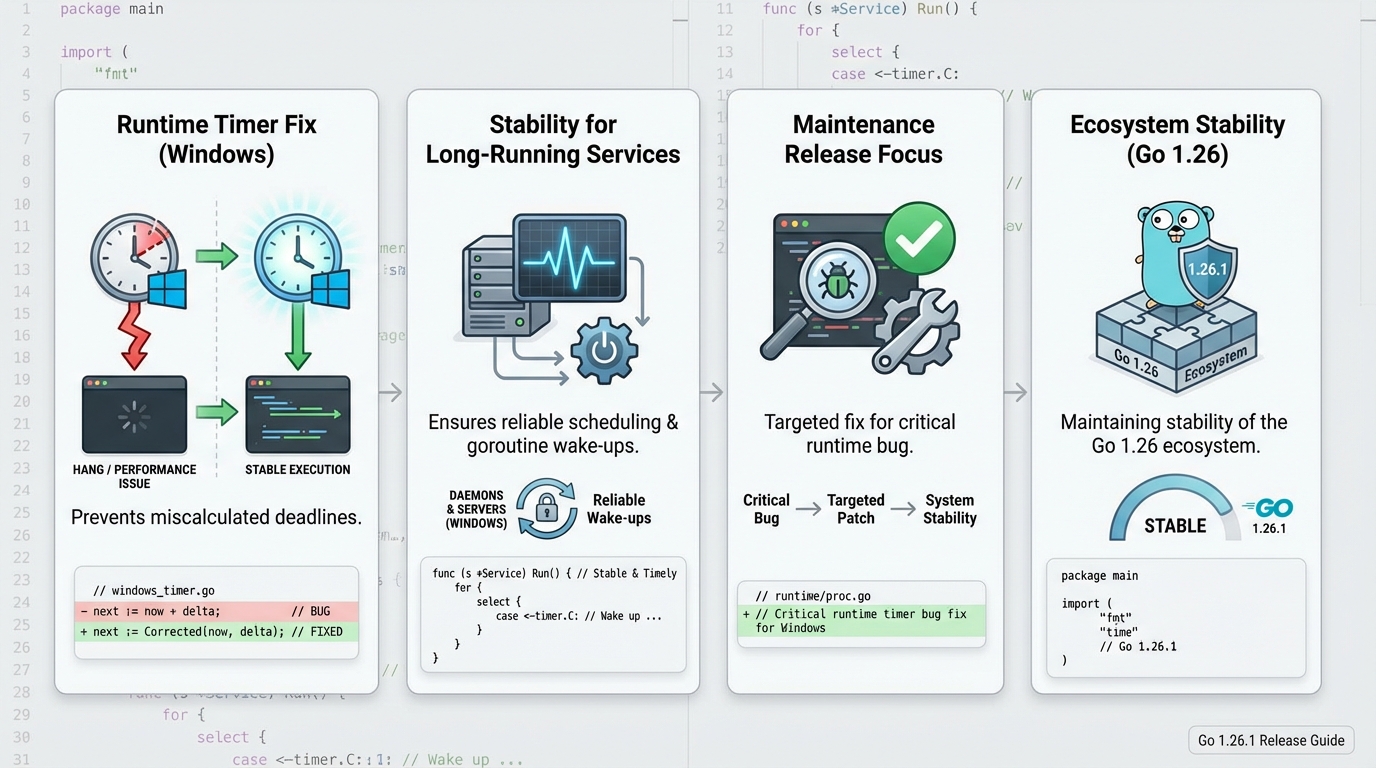
This bit me once. A Windows service looked fine under light load, then timers started behaving oddly after a few hours and the on-call graph turned into a saw blade.
Your mileage may vary depending on Windows version, VM clock behavior, and how timer-heavy your workload is.
- If you think you hit a Windows timer bug: Go find the exact upstream issue or CL that mentions “timer deadlines on Windows” and confirm it sits in go1.26.1. Do not rely on second-hand summaries.
- What it looks like in production: Latency spikes without a matching traffic bump, goroutine growth that never comes back down, and watchdog restarts because the process stops making progress.
- How to validate quickly: Canary a single Windows host, run your normal synthetic checks, then compare p95 and p99 latency to baseline for at least one business cycle.
Should you care? How to upgrade without hurting yourself
Plan the rollback before you touch anything. I mean it.
Most teams break the rollback because they forget the builder image tag. Then they scramble.
- Pre-check: Pin your current Go version in CI and record the last good artifact hashes. Keep the previous container tag ready.
- Upgrade the toolchain: Install go1.26.1 from the official downloads page, verify with go version, then rebuild your binaries. For containers, update the base image or builder stage so CI produces repeatable output.
- Test what matters: Run go test ./…, then run one integration smoke that hits TLS, templates, and URL parsing code paths your service actually uses.
Should you care? What to monitor right after rollout
Deploying is the easy part. Proving it is healthy is the job.
Check your error rates after deploying. Then check latency. Then check host CPU and memory, because Windows can surprise you.
- Golden signals: Error rate, throughput, latency (p50, p95, p99), saturation. If p99 doubles for 10 minutes, treat it as a rollback trigger.
- Process signals: Goroutine count, GC pause time, memory growth slope, and restart count. A slow goroutine leak shows up as a steady climb, not a spike.
- Logs to scan: TLS verification failures, template escaping changes, and URL parse errors. The release includes security-related behavior changes, so you might surface stricter parsing in weird client inputs.
Should you care? Caveats and known issues
Assume “known issues: none” means “nobody reported it yet.” I do not trust that line from any project.
Also, this release includes security fixes. That means behavior can get stricter, and some tests will fail for good reasons.
- Stricter parsing can look like a regression: If net/url or x509 verification tightens up, you might see new 4xx or TLS handshake failures. That is still your problem to handle.
- Windows services need extra soak time: If you run long-lived Windows processes, give the canary more time. Timer and scheduling bugs hide until hour six.
- If you hit something weird: Capture a goroutine dump, a small reproducer if you can, and the exact Go version string. File it upstream with those artifacts.
Other stuff in this release: security fixes, compiler bits, go command tweaks, the usual.
Should you care? Official links
Read the upstream notes and diff before you schedule the rollout. Then do it in daylight.
- GitHub tag: https://github.com/golang/go/releases/tag/go1.26.1
- Official release history: https://go.dev/doc/devel/release
- Downloads and checksums: https://go.dev/dl/
🛠️ Try These Free Tools
Paste your dependency file to check for end-of-life packages.
Plan your upgrade path with breaking change warnings and step-by-step guidance.
Paste your go.mod to check module health and archived dependencies.
Track These Releases