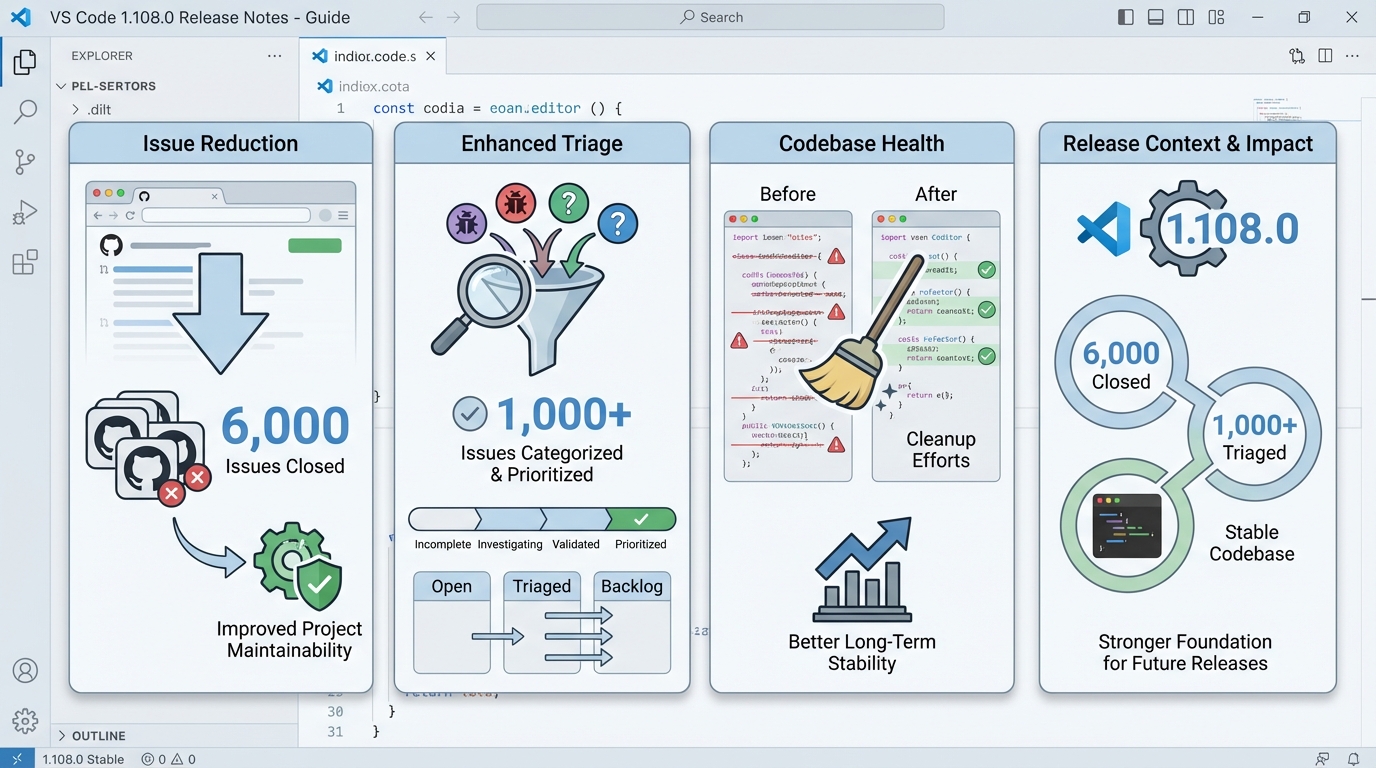
VS Code 1.108.0 release notes: housekeeping, real changes, and a sane upgrade plan
“6,000 issues closed” sounds like bragging until you need to debug a weird editor hiccup at 2 a.m.
I’ve watched teams ignore housekeeping releases, then spend a week chasing flaky behavior that quietly got fixed. VS Code 1.108.0 (the December 2025 update, published January 8, 2026) leans hard into cleanup, but it also ships a few user-visible tweaks that can surprise you if you run a tightly managed dev setup.
What actually changed in 1.108.0 (not just “maintenance”)
Here’s the thing.
The official notes call this a housekeeping month, but the build still changes knobs people touch every day, especially if you use Copilot Chat or live in the terminal. I pulled these straight from the official v1.108 notes and the 1.108.0 tag page, so you can trace them.
- Housekeeping numbers (use the real counts): The team reports 5,951 issues closed and 1,203 issues triaged across maintained repositories. That’s not “fixes,” it’s throughput, but it does lower noise for maintainers.
- Agent Skills (experimental): VS Code adds “Agent Skills” with a chat.useAgentSkills setting, which lets agent tooling load a SKILL.md from a folder. If you run Copilot features in locked-down environments, expect policy conversations.
- Snippet transformations: Snippets gain snakecase and kebabcase transforms. Small change, but extension authors and heavy snippet users will notice fast.
- Terminal behavior tweaks: Terminal IntelliSense defaults shift for people who hate auto-suggestions. Good for some workflows, annoying if you relied on suggestions popping up constantly.
- API surface changes: Quick Pick gets new properties (QuickPick.prompt and QuickPickItem.resourceUri). Extension authors should at least run their test suite once after upgrading.
The housekeeping metric is not the point (but it still matters)
My hot take: ignore the GitHub issue count.
Use it as a signal, not a reason. Closing 5,951 issues can mean “we fixed bugs,” but it can also mean “we closed duplicates and stale reports.” What matters for you is whether 1.108.0 changes the stuff you rely on: terminal UX, chat tooling defaults, and the extension API edges.
So.
If you manage a team image or a devcontainer base, treat this like any other upgrade. Run a quick smoke test, then roll it forward. Some folks yolo patch updates on Friday. I don’t, but I get it.
Who should upgrade, and who should stage it first
Pick your risk level.
I’d love to say “everyone upgrade today,” but that’s not how real machines behave, especially with 40 extensions and a pile of custom settings.
- Solo dev laptops: Upgrade when the prompt pops up. If something feels off, disable one or two heavy extensions (linters and AI assistants tend to be the loud ones) and retest.
- Extension-heavy setups: Stage it. Create a fresh VS Code profile or use a clean user-data directory, then open your largest workspace and run your normal loop: search, debug, tests, terminal.
- Enterprise fleets and CI images: Roll out in rings. Push to a small canary group, watch crash reports and extension failures for a week, then expand. Test this twice if your developers can’t work without a specific extension.
How to upgrade (and how I verify it didn’t go sideways)
Keep it boring.
Upgrade paths vary by OS and package manager, but you can still do the same verification every time.
- In-app update: Open VS Code, then use Help > Check for Updates. Restart VS Code when it prompts you.
- Verify version: Open Help > About and confirm it shows 1.108.0. If you need CLI verification, run code –version in a terminal.
- Quick extension sanity check: Open your main repo, run one build, run one debug session, and watch the Extensions view for anything that fails to activate.
No, I can’t promise “no known issues.” The official notes don’t list any, but community reports pop up for every release. Monitor your own stack.
Known issues (what I’m willing to say out loud)
“Known issues: none” is a sentence I do not trust from any project.
The official release notes page does not list a known-issues section for 1.108.0. That does not mean nothing broke for anyone. If you run a weird mix of remote SSH, devcontainers, and a custom shell prompt, you already know the drill. Check your team’s top five extensions and your most cursed workspace before you declare victory.
Other stuff in this release: dependency bumps, some image updates, the usual.
Official links
Read the upstream notes and diff details if you need primary sources: the official VS Code v1.108 update page and the GitHub 1.108.0 tag release.
Frequently Asked Questions
What changed in VS Code 1.108.0? VS Code 1.108.0 (December 2025, published January 8, 2026) is primarily a housekeeping release. The team closed 5,951 issues and triaged 1,203 more. User-visible changes include experimental Agent Skills for Copilot Chat, new snippet transforms (snakecase, kebabcase), terminal IntelliSense default changes, and Quick Pick API additions for extension authors.
Should I upgrade to VS Code 1.108.0? For most teams, yes. It is a low-risk update focused on stability. If you manage a locked-down dev environment or a team devcontainer image, run a quick smoke test first. The terminal IntelliSense defaults shifted, which can affect workflows that relied on auto-suggestions appearing immediately.
What are Agent Skills in VS Code 1.108.0? An experimental feature controlled by chat.useAgentSkills that lets agent tooling (like Copilot Chat) load a SKILL.md file from a folder. This is aimed at AI coding assistants that need folder-specific context. If you run Copilot in a locked-down environment, your security team may want to review this setting.
Does VS Code 1.108.0 break any extensions? The release adds new Quick Pick API properties (QuickPick.prompt and QuickPickItem.resourceUri). While these are additions rather than breaking changes, extension authors should run their test suites once after upgrading to catch any edge cases from the API surface expansion.
Upgrade and verify commands
# Check current VS Code version
code --version
# Shows: version, commit hash, architecture

# Update via package manager:
# macOS (Homebrew):
brew update && brew upgrade --cask visual-studio-code

# Linux (apt):
sudo apt update && sudo apt install --only-upgrade code

# Linux (dnf):
sudo dnf check-update code && sudo dnf upgrade code

# Windows (winget):
winget upgrade Microsoft.VisualStudio.Code

# Verify update:
code --version
# Expected first line: 1.108.0
Testing the new features
// Test Agent Skills setting (settings.json)
// Open Settings (JSON) and check/add:
{
  // Enable experimental Agent Skills for Copilot Chat
  "chat.useAgentSkills": true,

  // Terminal IntelliSense defaults changed in 1.108
  // If you want the old auto-suggest behavior back:
  "terminal.integrated.suggest.enabled": true,
  "terminal.integrated.suggest.quickSuggestions.enabled": true
}
// Test new snippet transforms (snakecase and kebabcase)
// Create a snippet in User Snippets (Cmd/Ctrl+Shift+P → "Snippets"):
{
"Component File": {
"prefix": "comp",
"body": [
"// File: ${1/(.*)/${1:/snakecase}/}.tsx",
"// CSS class: ${1/(.*)/${1:/kebabcase}/}",
"export function ${1:ComponentName}() {",
" return $0",
"}"
],
"description": "React component with snake_case file and kebab-case CSS"
}
}
// Type "comp" → Tab → type "MyNewButton"
// Produces: my_new_button.tsx, my-new-button CSS class# Extension compatibility quick check
# List all extensions and check for issues:
code --list-extensions --show-versions | wc -l
echo "extensions installed"
# Check Extension Host log for activation failures:
# Command Palette → "Developer: Show Logs" → "Extension Host"
# Test with a clean profile (isolates extension issues):
code --profile-temp
# Opens VS Code with zero extensions — if the bug disappears,
# it's an extension conflict, not a VS Code issue
# Disable all extensions for debugging:
code --disable-extensionsOfficial release notes: VS Code v1.108 update page. GitHub release: 1.108.0 tag. Snippet transforms documentation: VS Code snippet variable transforms. Track VS Code version health on the VS Code releases hub.
Related Reading
- VS Code 1.109.0: Claude Agents and Integrated Browser — The latest VS Code release
- VS Code 1.108.2: The Recovery Build — Install when 1.108 acts weird
- TypeScript 7.0: The Go Rewrite — Biggest change in TS history
- How to Add Version Health Badges — Track release health in your README
🛠️ Try These Free Tools
Paste a Dockerfile for instant security and best-practice analysis.
Paste your dependency file to check for end-of-life packages.
Plan your upgrade path with breaking change warnings and step-by-step guidance.
Track These Releases