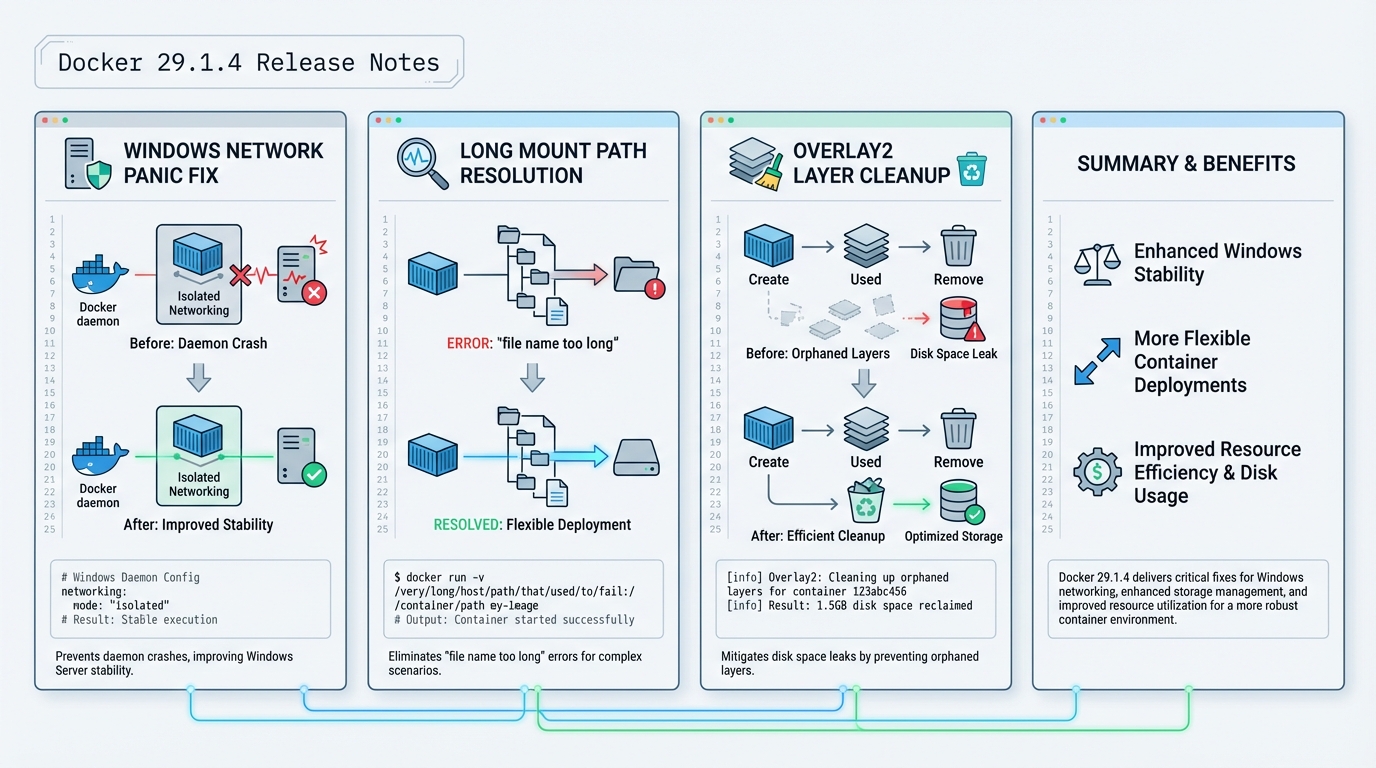
Docker 29.1.4 release notes: the three bugs worth your time
If Docker on Windows ever face-planted on –network none, 29.1.4 targets that exact mess.
I’ve watched teams ignore “just a patch” releases, then spend a weekend chasing disk pressure and daemon crashes that should have died in staging. Docker v29.1.4 (tagged Jan 9, 2026 on GitHub) fixes a Windows panic, a long-path mount failure, and a pair of overlay2 cleanup bugs. It also vendors BuildKit v0.26.3.
TL;DR: should you upgrade?
Depends. Really.
Upgrade sooner if you run Docker Engine on Windows hosts, if you hit “file name too long” during mounts, or if overlay2 grows like mold even after you delete containers. If none of that sounds familiar and your hosts behave, I would still canary it, but I would not rush it into every production node on a Friday.
- Upgrade now (after a quick canary): Windows Server hosts that run
docker run --network nonein scripts or tests, or any host with unexplained overlay2 disk growth. - Upgrade soon: CI runners that do lots of image mounts, builds, and tear-down cycles.
- Probably wait: quiet Linux hosts where you already pinned a known-good Engine build and you do not need the overlay2 fixes.
What changed (with upstream breadcrumbs)
Here’s the stuff that matters, with the upstream PRs so you can read the actual diffs instead of trusting a blog post.
- Windows panic on
--network none: Docker fixes a daemon panic in Windows networking code (PR #51830). This targets the crash path people hit when they run containers with no network attached. - Long mount paths (“file name too long”): Docker changes how it names image mount layers to keep names filesystem-friendly (PR #51829). This aims at failures that show up when mount paths get deep and ugly.
- overlay2 orphan cleanup: Docker cleans up init layers when setup fails (PR #51826) and cleans up RW layers when metadata save fails (PR #51824). I like these changes because they address the failure path, not just the symptom.
- BuildKit bump to v0.26.3: Docker vendors BuildKit v0.26.3 (PR #51821). BuildKit’s own notes call out a fix around session policy metadata resolution for git attributes and image attestations. That’s narrower than “performance and security fixes,” so I’m not going to claim more than upstream does.
The Windows crash: how it shows up in real life
This bit me when a Windows host ran a test suite that spins containers up and down with isolated networking.
You run something like docker run --network none ..., the daemon panics, and suddenly your pipelines fail in a way that looks like “CI is flaky again.” In most orgs, nobody correlates it to a specific flag until the third incident review. If you have Windows Docker hosts, treat 29.1.4 as a stability patch, not a nice-to-have.
If you only take one action: canary 29.1.4 on one Windows host and run your
--network noneworkloads against it for a day.
overlay2 orphans: why disk keeps disappearing
Disk leaks don’t feel dramatic until your host hits 95% and starts killing everything.
Overlay2 issues often show up as slow-motion pain. Builds succeed, containers run, and then the filesystem fills up even though you swear you cleaned old images. These fixes focus on cleanup when layer initialization or metadata writes fail. That matters because failures happen during the worst possible time, under load, when you least want a half-created layer left behind.
- Pre-upgrade check: run
docker system dfand record the output. Do it again after the canary. You want to see disk usage stabilize, not climb. - Post-upgrade sanity check: create and remove a batch of short-lived containers, then re-check disk usage. I’m not giving you a one-liner that deletes files in
/var/lib/docker. That’s how people end up in incident chat.
How to upgrade (with a rollout style that won’t ruin your week)
Take a snapshot.
On Linux, that might mean an LVM snapshot or a VM snapshot. On Windows, that might mean a VM checkpoint if you can tolerate it. Then do a canary. Some folks skip canaries for patch releases. I do not, because I’ve seen “harmless” updates break exactly one plugin and take out a build farm.
- Check current version:
docker --version - Upgrade via your OS packaging channel: follow Docker’s official install method for your distro, then install 29.1.4. If you’re on Ubuntu 22.04 and you pin versions, the article’s apt example works, but double-check the exact package epoch/version string for your repo.
- Restart the daemon:
systemctl restart docker - Verify:
docker versionshows Server 29.1.4 on the canary host. - Test what broke before: run your Windows
--network noneworkload, your long-path mount workload, and at least one representative BuildKit build.
Known issues
Upstream does not list a “Known issues” section for this tag.
That does not mean nobody hit problems. It just means upstream didn’t publish a list on the release page. If you’re rolling this into prod, skim the GitHub issues for moby/moby around the release date, then decide how paranoid you want to be.
Official release notes
Read the upstream tag and PR list here: https://github.com/moby/moby/releases/tag/docker-v29.1.4
Other stuff in this release: dependency bumps, some vendor updates, the usual.
Frequently Asked Questions
What bugs does Docker 29.1.4 fix? Three notable fixes: a Windows daemon panic when running containers with --network none, a “file name too long” error during image mounts caused by deep layer paths, and two overlay2 cleanup bugs where orphaned init layers and RW layers were not properly cleaned up on failure. It also vendors BuildKit v0.26.3.
Does Docker 29.1.4 fix the overlay2 disk growth issue? Partially. Two PRs (#51826 and #51824) fix cleanup paths where init layers and read-write layers were left behind when container setup or metadata saves failed. If your Docker hosts show unexplained overlay2 disk growth even after removing containers, this patch targets that exact problem. Monitor disk usage after upgrading to confirm.
Should I upgrade to Docker 29.1.4 on Windows? Yes, especially if you run containers with --network none. The Windows panic fix (PR #51830) prevents a daemon crash in Windows networking code. Windows CI runners and build servers should upgrade after a quick canary test. Linux-only environments should still upgrade for the overlay2 cleanup fixes.
What changed in BuildKit v0.26.3? The main fix is around session policy metadata resolution for git attributes and image attestations. This is a narrow fix that primarily affects builds using git context or SBOM attestations. Most users will not notice the change, but if you build from git URLs or generate attestations, it is worth testing.
Related Reading
- Docker vs Kubernetes in Production (2026) — The deployment architecture decision
- Container Image Scanning in 2026 — Scan before you ship
- Container Escape Vulnerabilities — The CVEs that shaped Docker security
Upgrade Docker Engine
Patch releases fix bugs that bit someone in production. Get on 29.1.4:
# Ubuntu/Debian
sudo apt update && sudo apt install -y docker-ce docker-ce-cli containerd.io
docker version

# RHEL/Fedora
sudo dnf update docker-ce docker-ce-cli containerd.io

# Docker Desktop (macOS/Windows)
# Check for updates in Docker Desktop > Settings > Software updates

# Verify the upgrade
docker version --format '{{.Server.Version}}'
# Expected: 29.1.4
Verify the bug fixes
After upgrading, confirm the specific fixes in 29.1.4 are working on your setup:
# Check Docker daemon health
docker info --format '{{.ServerVersion}} - {{.Driver}} - {{.CgroupDriver}}'

# Verify container networking (common bug fix area)
docker run --rm alpine ping -c 2 8.8.8.8
docker run --rm alpine nslookup example.com

# Check for any warnings in daemon logs
sudo journalctl -u docker --since "10 minutes ago" | grep -i "warn\|error" | head -10

# Run a quick build to verify BuildKit
echo "FROM alpine\nRUN echo ok" | docker build -
Container health check
After any Docker upgrade, check that your running containers are still healthy:
# List all containers with health status
docker ps --format "table {{.Names}}\t{{.Status}}\t{{.Image}}"

# Check for containers that restarted during upgrade
docker ps -a --format "{{.Names}} {{.Status}}" | grep -i "restarting\|exited"

# Verify docker-compose stacks are healthy
docker compose ls
docker compose ps  # in each project directory
Lint your Dockerfiles with the Dockerfile Linter. Check your docker-compose for outdated images with the Compose Checker. Full Docker timeline at our Docker Release Tracker.
Official resources:
🛠️ Try These Free Tools
Paste your Kubernetes YAML to detect deprecated APIs before upgrading.
Paste a Dockerfile for instant security and best-practice analysis.
Paste your docker-compose.yml to audit image versions and pinning.
Track These Releases