Node.js v22.22.0 TLSSocket errors: why your app stops crashing (and why that scares me)
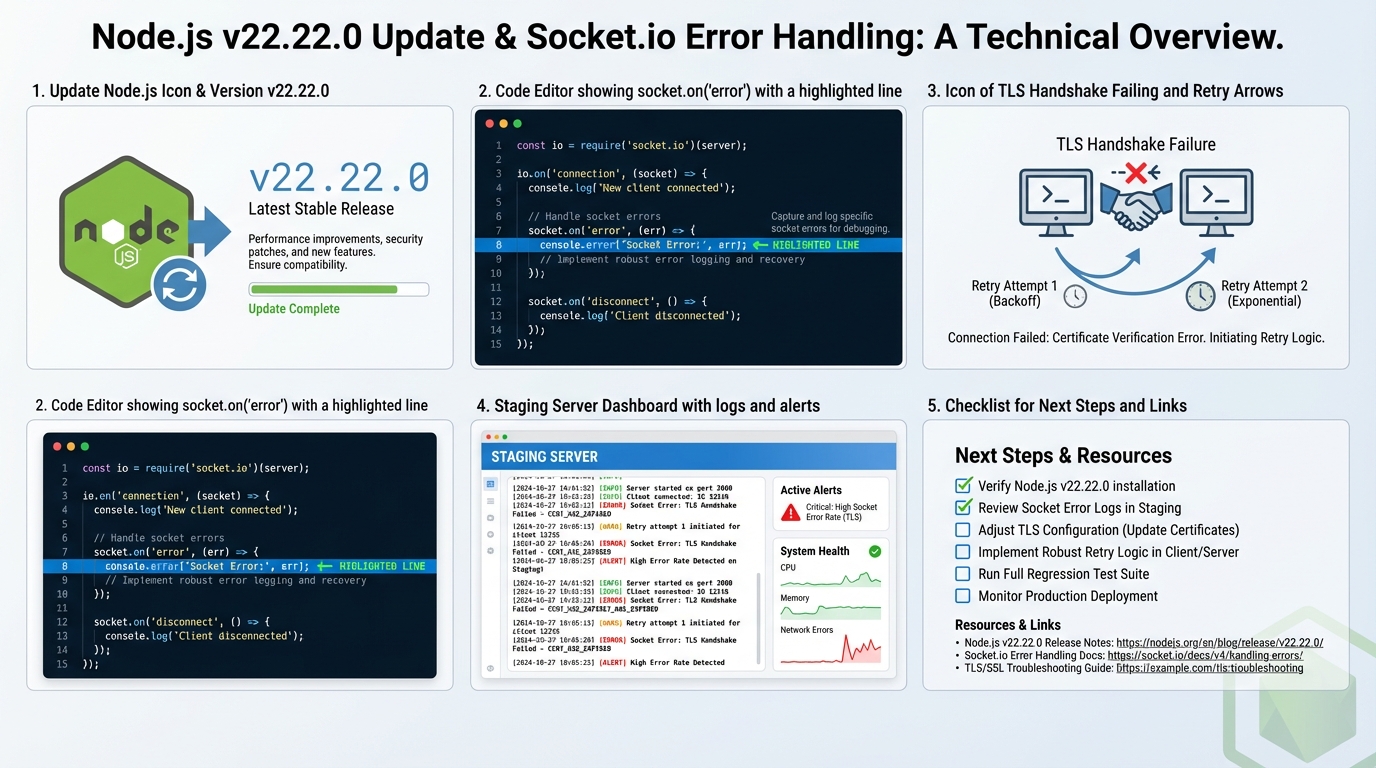
I’ve watched a single bad TLS handshake take out an otherwise healthy Node process. Node.js v22.22.0 changes that by attaching a default error handler to TLSSocket, so an unhandled TLS “error” does not automatically kill your process.
What changed in v22.22.0 (the part that used to bite)
This bit me when a client hit an HTTPS endpoint with a broken TLS stack and my service died with the classic “Unhandled ‘error’ event.” Nobody enjoys debugging that at 2 a.m.
In Node.js v22.22.0, Node attaches a default socket “error” listener to TLSSocket instances created during TLS connections. In practice, Node routes TLS-level socket errors into Node’s TLS error path (often surfacing as server-side tlsClientError) instead of letting an unhandled “error” event crash the process.
Start by upgrading and verifying the new version is active:
# Install Node.js 22.22.0 with nvm
nvm install 22.22.0
nvm use 22.22.0

# Confirm the upgrade
node --version
# Expected: v22.22.0

# Verify npm is compatible
npm --version- Before: A TLSSocket emits “error”, your code does not attach a listener, EventEmitter treats it as fatal and your process can exit.
- After: Node attaches a default listener, routes the error through TLS handling, and your process usually stays up. You still need your own handler if you want logs, metrics, and sane retries.
The opinionated take: the default handler saves uptime, but it can hide real TLS problems
Good. No crash.
Bad, sometimes. If the process stays alive and you never log TLS errors, you can ship a slow-motion outage where clients fail handshakes for hours and your graphs look “fine” because nothing restarted.
I do not trust “known issues: none” from any project. Add your own socket-level telemetry anyway.
What to change in your code (server and client patterns)
I’ve seen teams upgrade Node and stop seeing crashes, then assume they “fixed TLS.” They didn’t. They just stopped seeing the failure loudly.
Add explicit handlers anywhere you control the socket. Do it even if Node now provides a fallback.
- TLS/HTTPS servers: listen for tlsClientError on the server, and also attach socket.on(‘error’) where you get direct socket access.
- TLS clients: attach socket.on(‘error’) and decide what you want: retry with backoff, fail the request, or trip a circuit breaker.
- Do not spam logs: rate-limit repetitive handshake noise. One noisy client IP can bury your on-call.
So. Here’s a minimal pattern I reach for.
When you create or receive a TLSSocket, attach an “error” listener that logs context you can actually use. SNI, remote address, and whether you plan to retry matter more than the full stack trace.
const tls = require('tls');
const https = require('https');

// Server-side: catch TLS errors with useful context
const server = https.createServer(options, handler);

server.on('tlsClientError', (err, tlsSocket) => {
  const remote = tlsSocket.remoteAddress || 'unknown';
  console.error(`TLS client error from ${remote}: ${err.message}`);
  // Increment your metrics counter here
  tlsSocket.destroy();
});

// Client-side: explicit error handling on outbound connections
const socket = tls.connect(443, 'api.example.com', { servername: 'api.example.com' });

socket.on('error', (err) => {
  console.error(`TLS connection failed: ${err.code} - ${err.message}`);
  // Decide: retry with backoff, circuit-break, or fail the request
});

socket.on('secureConnect', () => {
  console.log(`TLS handshake complete, protocol: ${socket.getProtocol()}`);
});
How to inventory where TLSSocket shows up (the “it’s in a library” problem)
The thing nobody mentions is that your app might not call tls.connect at all. Your dependencies do it for you.
Start with a code search for the obvious entry points, then list the libraries that open outbound TLS connections (database drivers, proxies, service-mesh sidecars talking to local agents, anything with an HTTP agent).
- Search for direct TLS usage: tls.createServer, tls.connect, https.createServer, http2.createSecureServer.
- Search for agents: https.Agent, undici (or wrappers), custom proxy agents.
- Mark “black boxes”: any module that opens sockets internally and does not let you attach listeners. Those deserve a staging test.
Testing: force TLS failures on purpose
If you do not force a handshake failure in staging, you are guessing. Test this twice if the service handles logins or payments.
Run a local or staging target and simulate failures you actually see in the wild: expired certificates, hostname mismatch, abrupt disconnects during handshake, and clients that speak garbage.
Use openssl s_client to verify your TLS configuration and simulate handshake scenarios:
# Test TLS handshake against your service
openssl s_client -connect localhost:443 -servername yourdomain.com &1 | head -20

# Force a protocol mismatch to trigger a TLS error
openssl s_client -connect localhost:443 -tls1 2>&1 | grep -i "error\|alert"

# Check certificate chain and expiry
openssl s_client -connect localhost:443 -servername yourdomain.com 2>/dev/null | \
  openssl x509 -noout -dates -subject

# Simulate an abrupt disconnect mid-handshake (timeout after 1 second)
timeout 1 openssl s_client -connect localhost:443 -servername yourdomain.com 2>&1; echo "Exit: $?"- Handshake failure: connect with a client that rejects your cert (wrong CA) and confirm you see your app-level log/metric without a process crash.
- Abrupt termination: drop the TCP connection mid-handshake and confirm the socket closes and your service keeps accepting new connections.
- Debug mode: set NODE_DEBUG=tls briefly to get TLS noise when you need it, then turn it off before it eats your disks.
After upgrading, run a quick verification script to confirm error handling works correctly:
// save as tls-verify.mjs — run with: node tls-verify.mjs
import tls from 'tls';

// Attempt a connection to a non-existent TLS server
// This should NOT crash the process after the v22.22.0 change
const socket = tls.connect(44399, '127.0.0.1', { rejectUnauthorized: false });

socket.on('error', (err) => {
  console.log('✅ Error caught (expected):', err.code);
});

socket.on('close', () => {
  console.log('✅ Socket closed cleanly — default handler works');
  process.exit(0);
});

setTimeout(() => {
  console.log('⚠️ Timeout — check your Node version');
  process.exit(1);
}, 5000);
Staging rollout and what to watch
Most teams upgrade Node on a Monday and then wonder why Tuesday looks weird. Plan for a little error noise.
Roll to staging first, then canary production. Watch for two things: a drop in process crashes, and a rise in TLS error counters. You want the first. You need to understand the second.
- Alert on spikes: alert on TLS handshake errors per minute, not just process restarts.
- Track closures: count socket closures during handshake vs after handshake. They mean different things.
- Keep a rollback handy: if a dependency behaves differently under the new default handler, you may need to pin Node while you patch the library.
Track your Node.js versions across environments with the Node.js Release History page, and use the Dependency EOL Scanner to check whether any of your npm dependencies have reached end-of-life before you upgrade.
Troubleshooting when things still look wrong
Sometimes the service still crashes. That usually means the crash came from somewhere else, not the TLS socket error path.
Turn on tracing flags in a controlled environment and capture enough evidence to stop arguing with guesses. Use –trace-warnings for warning stacks. Use –trace-uncaught if you suspect uncaught exceptions. If you can generate a process report or core dump in your environment, do it and keep the artifact.
Some folks skip canaries for patch releases. I don’t, but I get it.
Next steps
Replace the placeholders in your internal runbook with real links to the Node.js v22.22.0 release notes and the exact commit/PR that introduced the TLSSocket handler. Then write one integration test that forces a TLS handshake failure and asserts “service stays up, error is visible.” There’s probably a better way to test this, but…
- Node.js v22 Changelog — full list of changes and cherry-picks for v22.22.0
- Node.js TLS (SSL) Documentation — API reference for TLSSocket, tls.connect, and server options
- Node.js Security Releases — official security advisories and CVE details
Keep Reading
- Node.js Release History
- Dependency EOL Scanner — check if your npm packages are still supported
- Node.js v25.5.0 Release Notes: –build-sea and Safer SQLite Defaults
- Node 20 vs 22 vs 24: Which Node.js LTS Should You Run in Production?
- Node.js v25.4.0: require(esm) goes stable, plus a proxy helper
- Node.js v20.19.6: what changes, what to test, how to ship it
Frequently Asked Questions
- What changed with TLSSocket errors in Node.js 22.22.0? Node.js 22.22.0 adds a default error handler to TLSSocket that prevents unhandled TLS errors from crashing your process. Previously, a TLS handshake failure or certificate error on any socket without an explicit error listener would throw an uncaught exception and kill your Node.js process. Now the default handler catches these errors silently — your app stays up, but you might miss legitimate TLS problems.
- Is the TLSSocket change in Node.js 22.22.0 a breaking change? It’s a behavior change that improves stability but can mask problems. If your app previously crashed on TLS errors and you relied on that crash to trigger alerts or restarts, the new default handler means those errors are now silently swallowed. You should add explicit error listeners to your TLS connections: socket.on(‘error’, (err) => { log and handle }) to maintain visibility.
- How do I find TLSSocket usage in my Node.js codebase? Many libraries use TLS internally without exposing it directly. Search for: require(‘tls’), require(‘https’), and any database/Redis/AMQP client that connects over TLS. Common hidden TLS users: pg (PostgreSQL), ioredis, amqplib, and any HTTP client making HTTPS requests. Check each library’s connection options for TLS-related settings and add error handlers at the connection level.
- Should I upgrade to Node.js 22.22.0 if I run production services? Yes — it’s a security release with CVE patches that you shouldn’t defer. The TLSSocket default handler change is a net positive for stability. But update your monitoring: if you relied on process crashes to detect TLS issues, add explicit socket.on(‘error’) handlers and log TLS errors to your monitoring system before they disappear into the default handler.
Related Reading
- Node 20 vs 22 vs 24: Which LTS to Run — The Node.js version decision
- How to Add Version Health Badges — Track release health in your README
🛠️ Try These Free Tools
Paste your dependency file to check for end-of-life packages.
Plan your upgrade path with breaking change warnings and step-by-step guidance.
Check extension compatibility across PostgreSQL versions.
Track These Releases